
As a small business owner, managing a Google Ads campaign frequently feels like trying to fill a bucket with a hole in the bottom. Your bank account is lighter at the end of the month even though you have chosen your keywords and set a budget, but your phone isn’t ringing with the right clients.
This guide is for you if you’ve ever wondered, “Why did I pay $10 for a click from someone looking for a ‘free template’ when I sell a $500 service?” after looking at your billing statement. This is exactly where negative keywords for small business become essential.
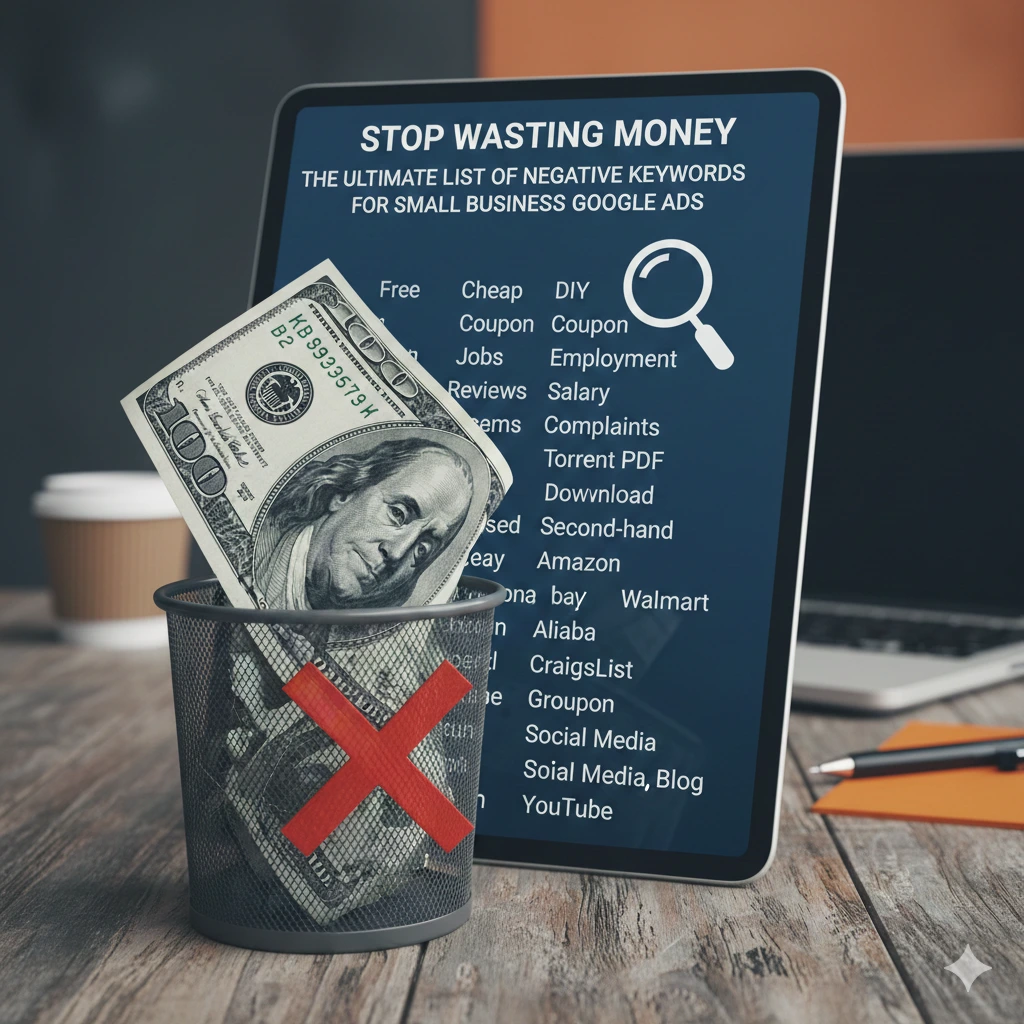
Introduction – Negative keywords for small business Google Ads
Why Small Businesses Lose Money on Google Ads – Small Business PPC Keyword Strategy
Small companies have narrow profit margins. In contrast to large companies with “branding budgets,” every dollar you spend on Google Ads must result in a lead or a sale. However, most small businesses lose between 20% to 50% of their budget on clicks that had zero chance of ever converting. This is why negative keywords for small business are critical to profitability.
The problem isn’t usually your product or your landing page; it’s the intent of the person clicking.
The Hidden Reason Behind Irrelevant Clicks – Search Intent Filtering in Ads
Google’s job is to show your ad to people whose searches relate to your keywords. But “related” is a broad term. This is where negative keywords for small business play a crucial role.
If you are a plumber in Austin, you might bid on the keyword “Plumber.”
Google might show your ad for:
- “Plumber jobs in Austin” (A job seeker, not a customer)
- “How to fix a leaky pipe DIY” (Someone looking to save money, not hire you)
- “Free plumbing course” (A student)
You paid for those clicks. You lost money. This is the “Intent Gap”—the space between what you sell and what the user is actually looking for.
What This Guide Will Help You Fix (Quick Wins)
This textbook isn’t theoretical. After completing this guide, you will understand how negative keywords for small business help you:
- Stop the bleeding: Eliminate the most popular “garbage” searches right away.
- Boost the quality of leads: Make sure the individuals who click on your advertisements are genuinely prepared to make a purchase.
- Increase Your ROI: By allocating your budget exclusively to high-intent searches, you can reduce your Cost-Per-Acquisition (CPA).
What Are Negative Keywords in Google Ads? – Negative Match Types in Google Ads

Simple Definition (No Jargon)
Regular keywords can be thought of as “Green Lights” (Show my ad when someone types this).
Negative keywords can be compared to “Red Lights” (Stop! If this word appears in the search, DO NOT display my advertisement.
Google is informed by a Negative keywords for small business that “I know my main keyword is in there, but because this specific word is also present, I don’t want to pay for this click.”
Google’s Approach to Negative Keywords
Adding a negative keyword to Google’s auction system is equivalent to adding a filter. For small businesses, using negative keywords for small business ensures your budget is spent wisely. Google looks at your negative list before deciding to place your advertisement. Your advertisement is removed from that particular search result if a match is discovered. This ensures that your budget is saved for better opportunities and occurs in milliseconds.
Difference: Keywords vs. Negative Keywords
| Feature | Regular Keywords | Negative Keywords |
| Goal | Attract traffic | Filter traffic |
| Cost | You pay for these | They save you money |
| Targeting | Broadens your reach | Refines your reach |
| Matching | Google tries to find “close variants” | Google is much stricter (no close variants) |
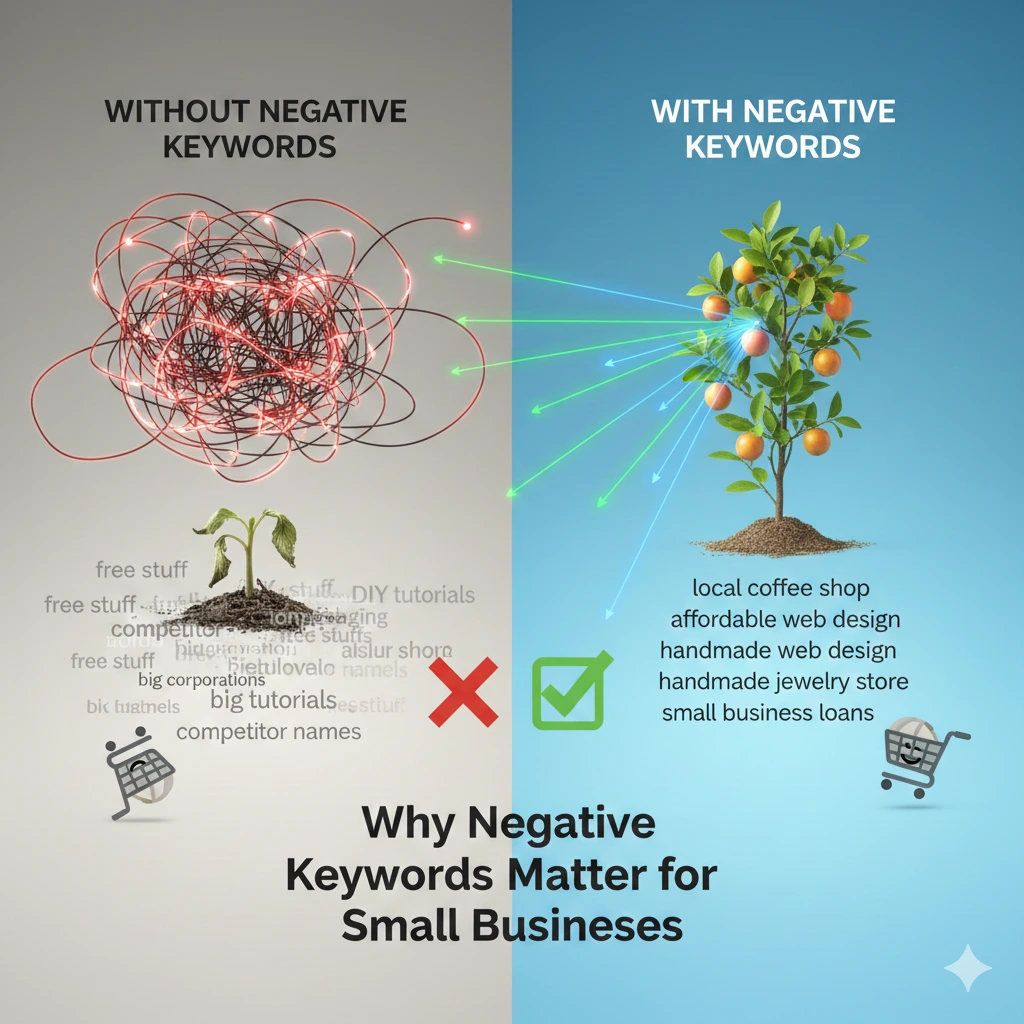
Why Negative Keywords Matter for Small Businesses
Budget Control for Low Ad Spend
If your daily budget is $20, and you pay $5 for a “junk” click, you’ve just wasted 25% of your daily budget. For a small business, negative keywords for small business are the primary tool for budget protection. It’s about making a small budget feel like a big one by being surgically precise.
Higher Quality Score Explained Simply – Improve Google Ads Quality Score
Google rewards relevant ads. If your ad shows up for “Free Divorce Lawyer” but you are a high-end firm that doesn’t offer free services, users will either:
In both cases, your Quality Score declines. If your advertisements have a low Quality Score, they will cost more. When you use negative keywords to remove irrelevant impressions, your CTR rises, your relevance rises, and Google eventually lowers your price-per-click.
Better Leads, Not More Clicks
In the world of small business, “more traffic” is a vanity metric. You don’t want 1,000 people looking for “free advice.” You want 10 people looking to “book a consultation now.” Negative keywords for small business act as a “Bouncer” for your website, only letting in the VIPs (Potential Customers).
Types of Negative Keyword Match Types – Negative Match Types in Google Ads
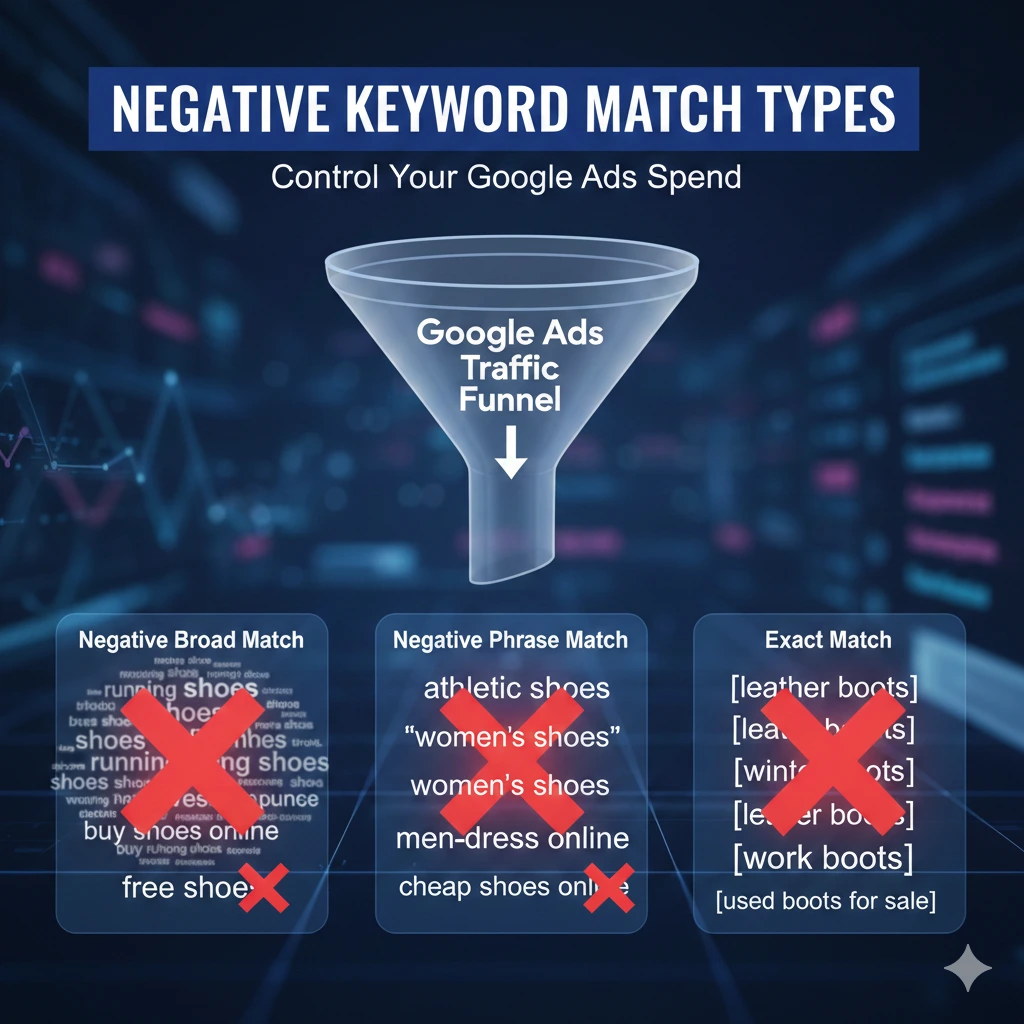
One of the most frequent errors made by small business owners is adding negative keywords without understanding Match Types. If you are careless, you might inadvertently block the very clients you are trying to attract.
Unlike regular keywords, negative match types do not include close variants (like plurals or misspellings). You must be exact.
1. Wide Negative Match
By default, this is the configuration. This setup is especially important when managing Negative keywords for small business. If you include a word as a broad negative, your advertisement won’t appear if the search includes every word in your negative keyword, regardless of the order.
- Negative Keyword: free software
- Ad won’t show for: “software that is free” or “free cloud software”
- Ad WILL show for: “free tools” (because the word “software” is missing)
2. Phrase Negative Match
Your ad won’t show if the search contains the exact keyword phrase in the same order. It can have extra words before or after. This match type is especially useful when structuring Negative keywords for small business.
- Negative Keyword: “luxury car”
- Ad won’t show for: “used luxury car for sale” or “luxury car rentals”
- Ad WILL show for: “luxury sports car” (because the phrase “luxury car” was broken up by the word “sports”)
3. Exact Negative Match
This is the most restrictive. Your ad won’t show only if the search is exactly the negative keyword, with nothing else. Exact match is a powerful tool when using negative keywords for small business.
- Negative Keyword: [jobs]
- Ad won’t show for: “jobs”
- Ad WILL show for: “plumbing jobs” or “jobs in New York”
When to Use Each (Decision Table)
| Match Type | Best For… | Example |
| Broad | General concepts you want to avoid entirely. | free, cheap, DIY |
| Phrase | Specific terms that change meaning with context. | “how to”, “near me” |
| Exact | Single words that are sometimes okay in a sentence. | , [glass] |
The Ultimate List of Negative Keywords for Small Businesses
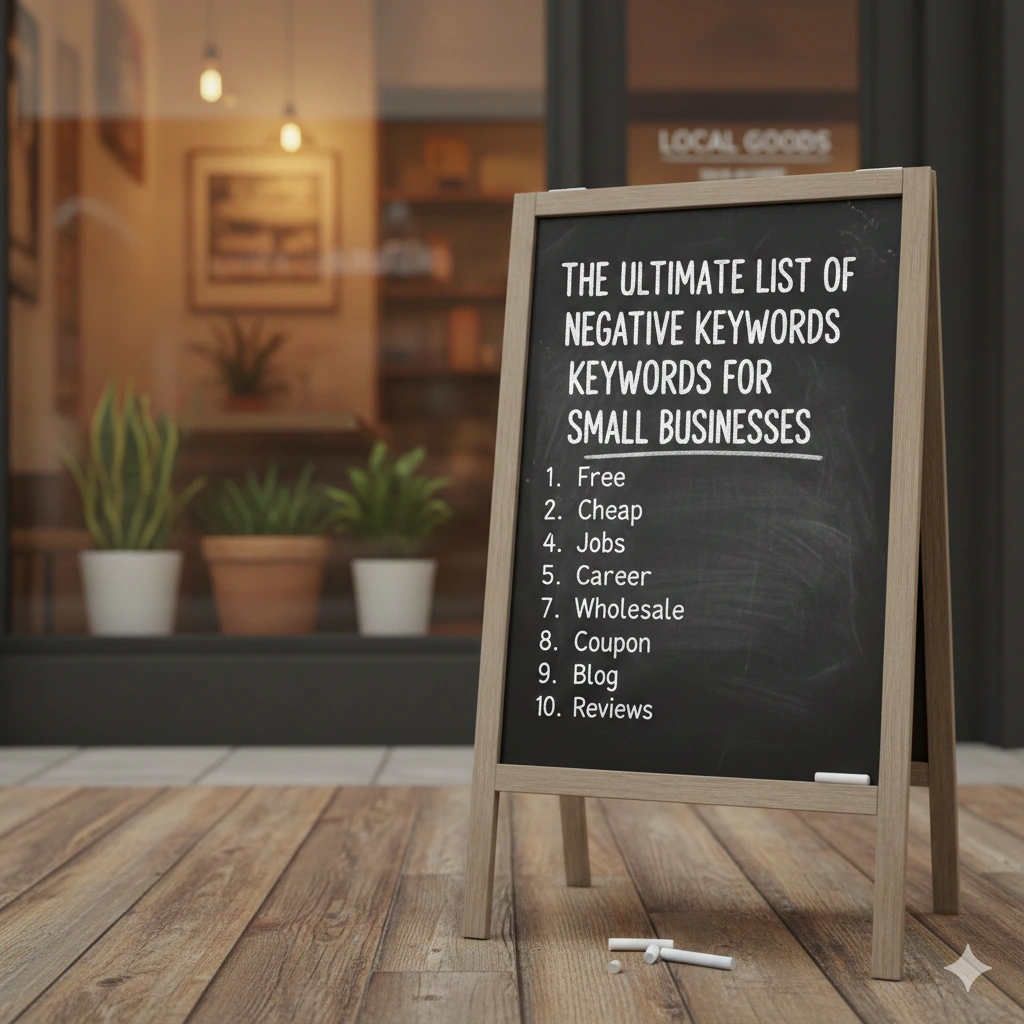
(This is the ranking gold section. Copy these into your Negative Keyword Lists.)
🔹 General Negative Keywords (Most Businesses)
Regardless of what you sell, these terms usually represent people who are looking for information, jobs, or freebies—not looking to spend money. This is why negative keywords for small business are universally effective across industries.
- The “Free” Crowd: free, freeware, complimentary, pro bono, no cost, gift.
- The “Cheap” Crowd: cheap, cheapest, low cost, discount, bargain, clearance.
- The Job Seekers: jobs, careers, hiring, employment, salary, internships, resumes, recruitment.
- The DIY/Students: how-to, DIY, tutorial, training, course, class, school, university, college, definition, what is, wiki, research, case study, PDF, whitepaper, template, example, sample.
- Media Seekers: video, YouTube, images, photos, logo, background, wallpaper.
🔹 Service-Based Business Negative Keywords
If you are a consultant, lawyer, plumber, or agency, you want to avoid people looking for DIY fixes or career data.
- Common Trash: salary for [service], how to become a [service], association, regulations, laws, government, grants, forms.
- Non-Commercial: volunteer, non profit, community, public, forum, reddit.
- Specific Examples:
- Digital Agencies: logo maker, free website builder, jobs.
- Home Services: manual, spare parts, replacement parts, wiring diagram.
🔹 Local Business Negative Keywords
If you have a physical location (like a gym or clinic) or a specific service area, you must block competitors and “long-distance” searches. This is a core application of negative keywords for small business.
- Wrong Locations: List all major cities outside your service area. If you only serve New York, add California, Texas, Chicago, etc., as negatives.
- The “Near Me” Problem: If you don’t offer 24/7 service, add “24 hour” or “emergency” if you can’t handle those calls.
- Suppliers: wholesale, manufacturer, supplier, distributor, factory. (People looking for these are looking for B2B partners, not your retail service).
🔹 E-commerce & Product-Based Business
If you sell new products, avoid the “bargain hunters” and people looking for parts. This is where negative keywords for small business help you filter the wrong traffic.
Condition Negatives: used, second hand, refurbished, rebuilt, remotes, parts, scrap, rental, lease.
Platform Negatives: Amazon, eBay, Walmart, Flipkart, AliExpress, Craigslist, Facebook Marketplace. (Unless you want to compete with their prices, which is hard for small businesses).
Reviewers: review, comparison vs. rating, complaints, scam.
How to Find Custom Negative Keywords (Step-by-Step)
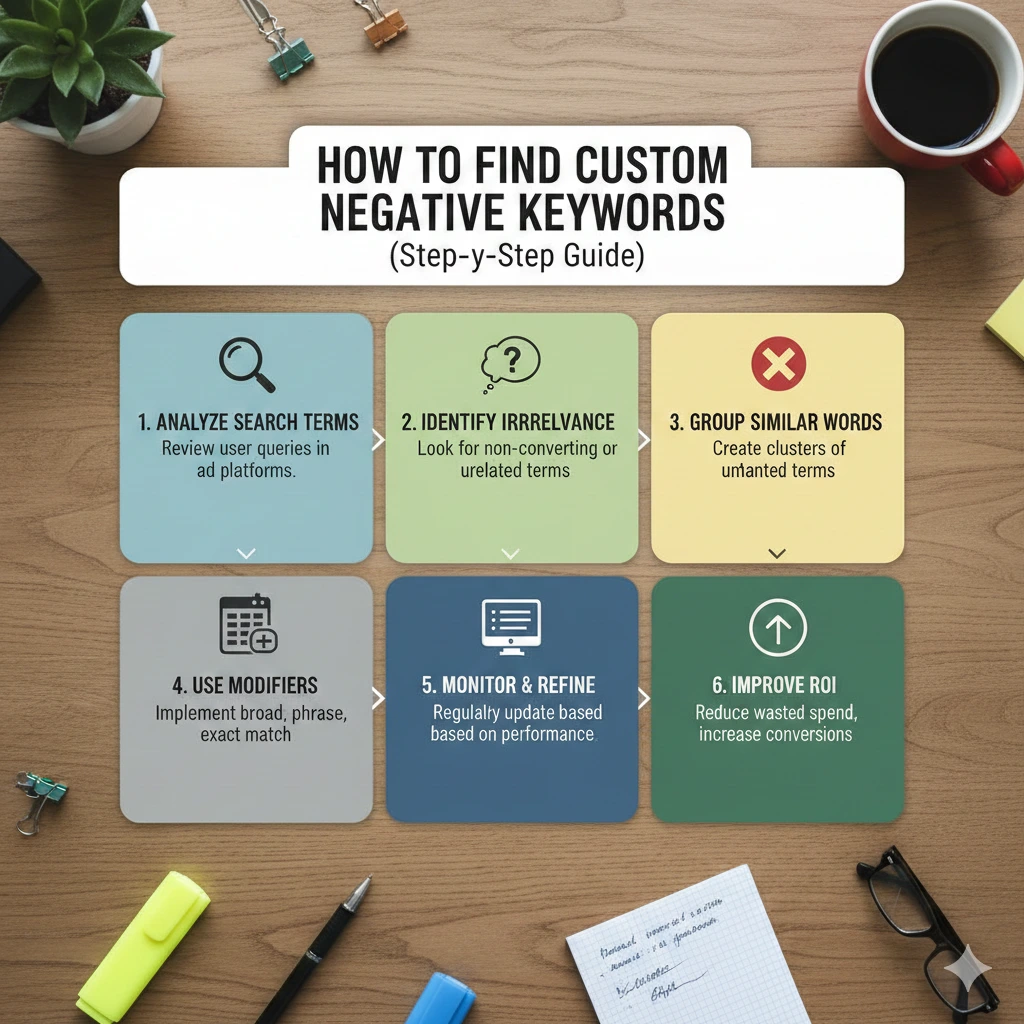
While the general list covers the basics, the most dangerous “money-wasters” are often specific to your industry. This is where industry-specific negative keywords for small business make the biggest impact. Here is the workflow to find them.
Step 1: Using the Search Terms Report
The Search Terms Report is the most honest part of Google Ads. It’s where negative keywords for small business prove their value. It shows you exactly what people typed before they clicked your ad.
- Log in to Google Ads.
- Navigate to Campaigns > Insights & Reports > Search Terms.
- Set your date range to the last 30 days.
- Look for terms with high clicks but zero conversions.
Step 2: Finding “Money-Wasting” Queries
Look for terms that are “close but no cigar.”
- Example: You sell “Leather Jackets.” You see clicks for “leather jacket repair.”
- Action: Add “repair” as a negative keyword. You sell the product; you don’t fix it.
Step 3: Frequency-Based Filtering Method
Look beyond the pricey clicks. Examine the patterns. Arrange your report according to impressions. This is a smart habit when building and refining negative keywords for small business. Take action before the clicks start coming in if you notice a term that isn’t relevant showing up hundreds of times (for example, someone looking for a celebrity wearing a jacket similar to yours).
Step 4: Weekly vs. Monthly Review Strategy
- New Campaigns: Check your Search Terms Report every 48 hours. In the beginning, Google’s “Broad Match” can be very aggressive.
- Established Campaigns: A monthly deep dive is usually enough to catch new trends or seasonal “junk” searches.
How to Find Custom Negative Keywords (Step-by-Step)
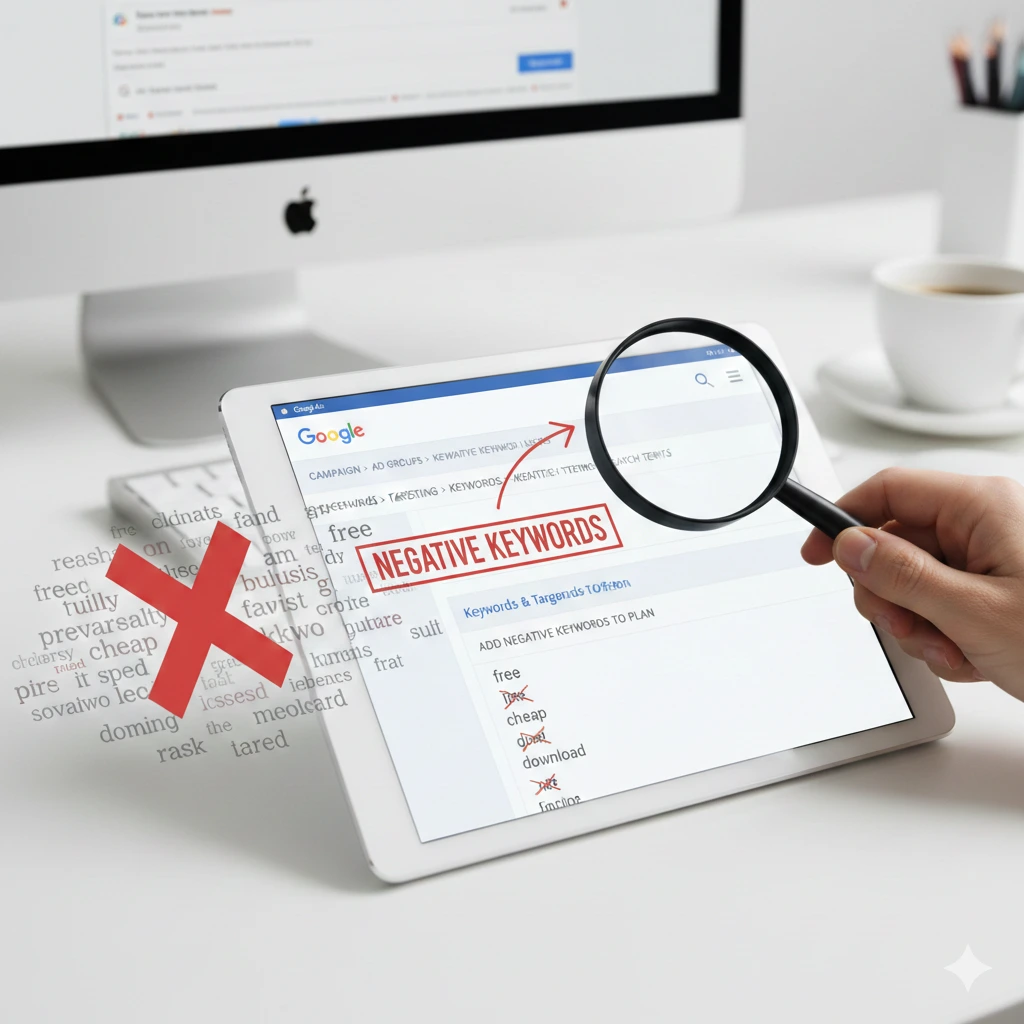
You have three levels where you can apply these filters. Choosing the right one is key when managing negative keywords for small business to avoid over-filtering your ads.
1. Account-Level Negatives
Best for: The “Never” words. These are words you never want to be associated with under any circumstances across all your campaigns (e.g., “porn,” “jobs,” and “free”).
- Go to: Tools & Settings > Setup > Account Settings > Negative Keywords.
2. Campaign-Level Negatives
Best for: Specific product lines. If you have one campaign for “New Cars” and one for “Used Cars,” you would add “used” as a negative to the New Car campaign only.
3. Ad Group-Level Negatives
Best for: Preventing “Internal Competition.” This is a smart use of negative keywords for small business. If you have an ad group for “Nike Running Shoes” and another for “Nike Basketball Shoes,” add running as a negative to the basketball group to ensure Google shows the most relevant ad possible.
Negative Keyword Lists (The Pro Tip)
Instead of adding keywords one by one to every campaign, create a negative keyword list in the “Shared Library.” You can then apply this single list to 10 different campaigns at once. When you update the list, it updates everywhere.
Common Negative Keyword Mistakes Small Businesses Make
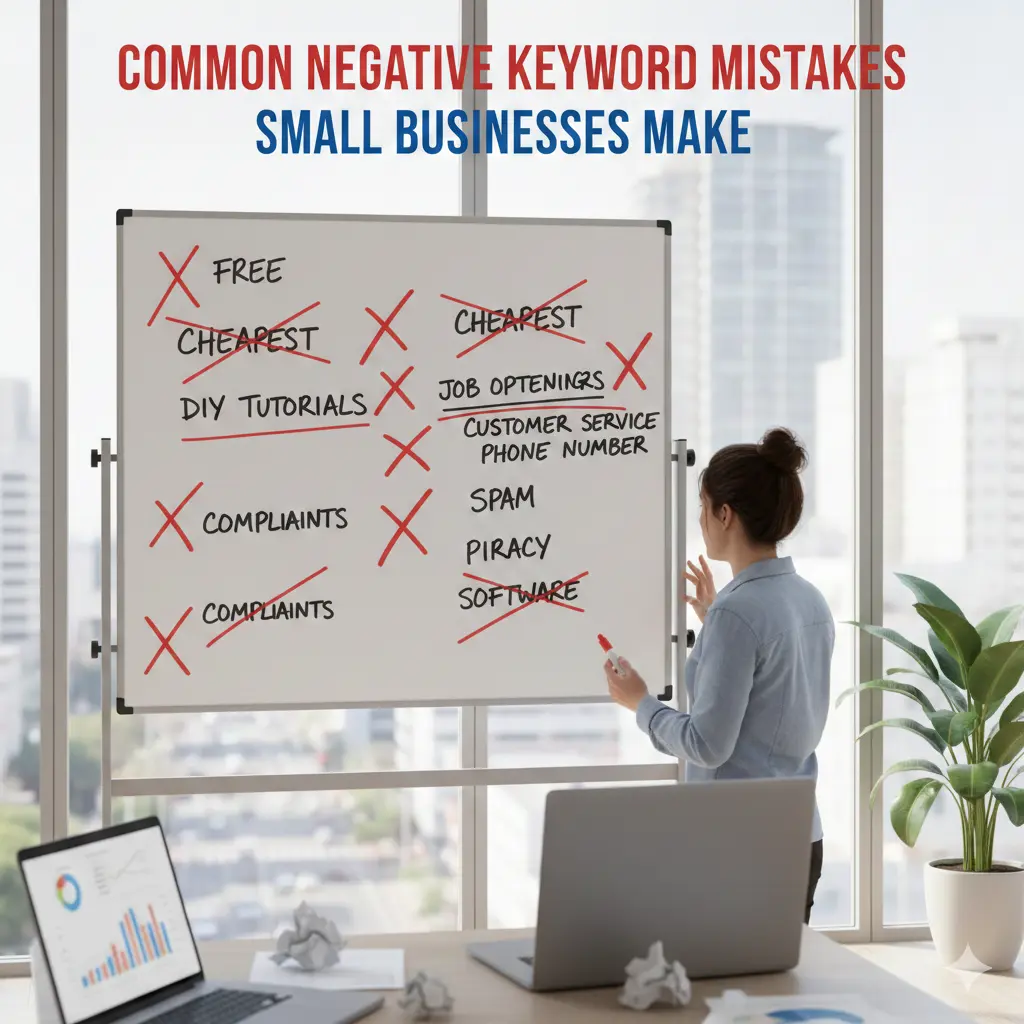
1. Blocking High-Intent Keywords by Mistake
I once saw a bakery add the negative keyword order. This is a classic example of why negative keywords for small business must be used carefully. They thought they were stopping people from asking about “order status,” but they actually stopped people from “ordering a cake.” Solution: Always use Exact Match [order] if you only want to block a specific single-word query.
2. Adding Too Many Negatives Early
If you add 5,000 negatives on day one, you might “choke” your campaign. Google needs some room to find your audience. Start with the “General List” and refine based on real data.
3. Ignoring Match Types
Adding “free” as a broad negative is great. But adding [free] as an exact negative is useless because people rarely search for just the word “free.” They search for “free plumbing advice.”
4. Never Reviewing Reports
The market changes. New competitors, new slang, and new viral trends can trigger your ads for weird things. If you don’t review your reports, you’re leaving your wallet open on a busy street.
Checklist – Negative Keywords for Small Businesses

To keep your Google Ads account healthy, you need a routine. Use this checklist to ensure you are filtering out the noise at every stage of your campaign.
Phase 1: Before Launching Ads
Don’t wait for Google to waste your money before acting.
- [ ] Add the “Master List”: Upload the general negatives (free, cheap, jobs, DIY) at the Account Level.
- [ ] Competitor Negatives: If you don’t want to spend money on people searching for your competitors, add their brand names as negative keywords.
- [ ] Location Exclusions: Add major cities or countries you don’t serve as phrase match negatives.
- [ ] Cross-Campaign Cleanup: If you have separate “Service A” and “Service B” campaigns, ensure Service A is a negative in Service B (and vice versa).
Phase 2: The First 7 Days (The “Nip it in the Bud” Phase)
- [ ] Daily Search Term Review: Check the Search Terms report every morning. This is a crucial step for managing negative keywords for small business.
- [ ] Look for “Informational” Intent: Are people asking “What is…?” or “How to…?” Add those as phrase match negatives if you only want “buy” intent.
- [ ] Identify Low CTR terms: If a term has 100 impressions and 0 clicks, it might be irrelevant. Consider negating it to protect your Quality Score.
Phase 3: The 30-Day Audit
- [ ] Frequency Analysis: Look for keywords that have been clicked 5+ times with zero conversions. Are they actually relevant?
- [ ] Match Type Check: Review your negatives. Did you accidentally add a “broad” negative that is blocking good traffic?
- [ ] Shared Library Update: Move individual campaign negatives into a “Master Shared List” to keep things organized.
Real Example: How Negative Keywords Reduced Ad Spend
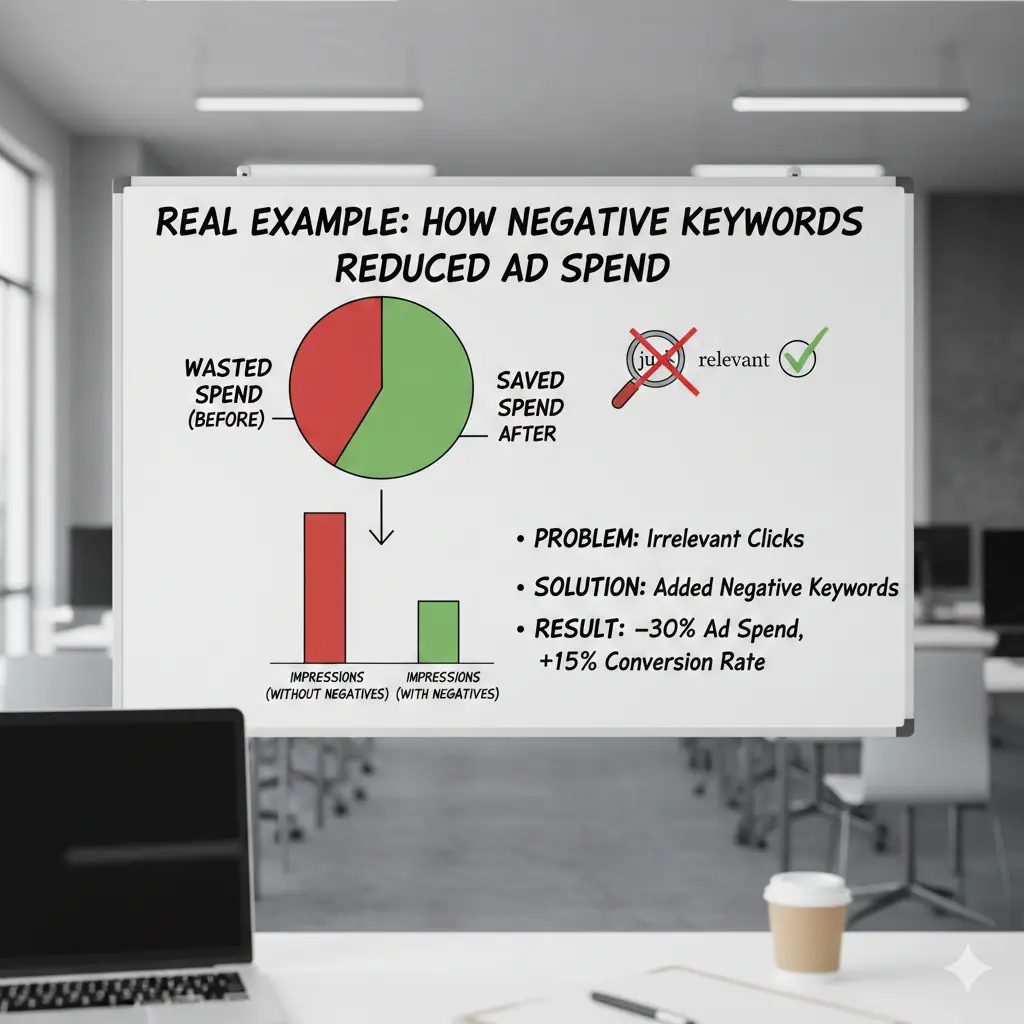
The Business: A local HVAC (heating & cooling) company in Phoenix. This highlights how negative keywords for small business can protect your ad budget.
The Problem: They were spending $2,000/month but getting calls from people asking how to fix their own AC or looking for jobs.
The “Before” Scenario
- Core Keyword: AC Repair
- Daily Clicks: 20
- Avg. Cost Per Click (CPC): $10
- Daily Spend: $200
- Conversions: 2 leads (mostly DIY questions)
- Waste: 60% of clicks were for “AC repair manual,” “AC repair jobs,” and “window AC repair” (they only do central air).
The “After” Scenario (Adding Negative Keywords) – See how negative keywords for small business can transform your ad performance.
The owner added the following negatives: manual, jobs, window, how to, diy, parts.
- Daily Clicks: 12 (Fewer clicks, but higher quality)
- Avg. CPC: $8.50 (CTR improved, so CPC dropped)
- Daily Spend: $102
- Conversions: 4 leads (all high-intent central air repair calls)
- Result: They saved $98 per day while doubling their leads.
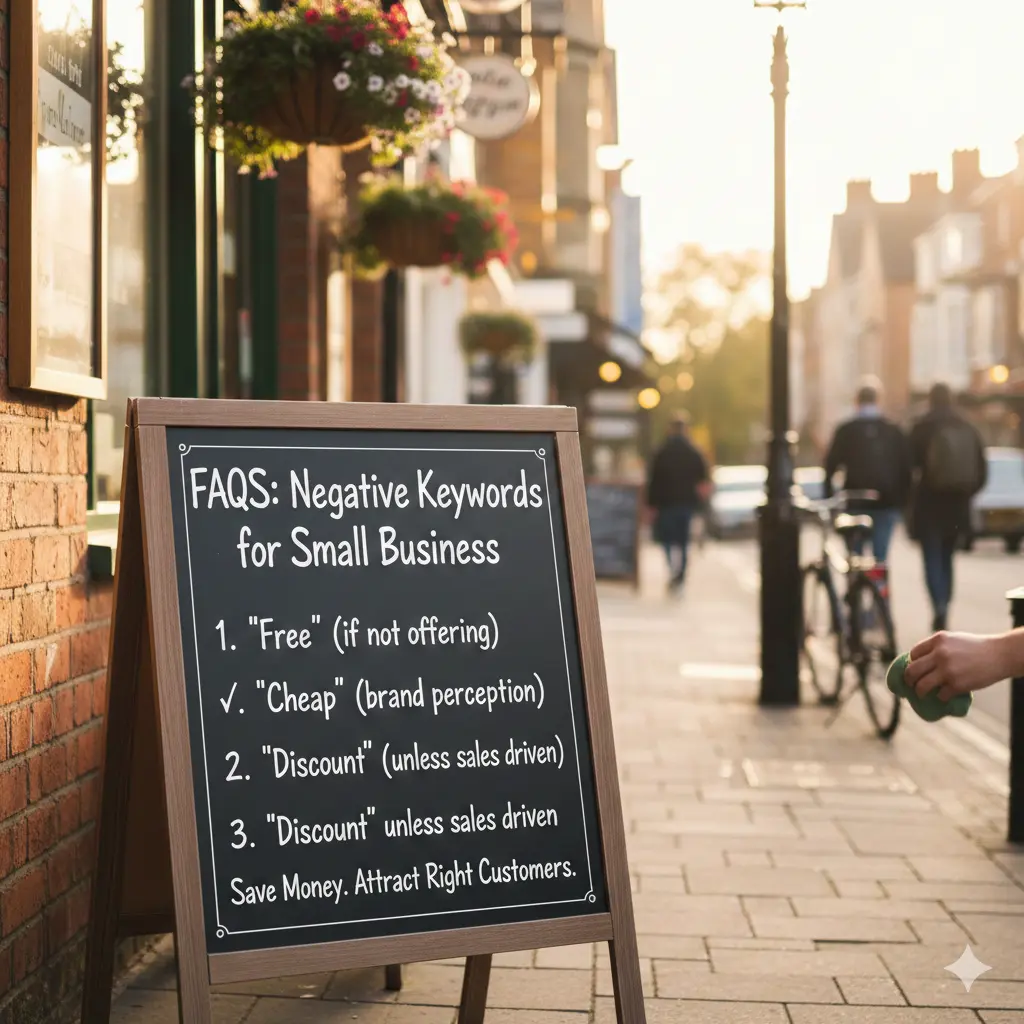
FAQs: Negative Keywords for Small Business
How often should I update negative keywords?
For the first month, check daily. Once your account is stable, a bi-weekly or monthly review is sufficient to catch new search trends.
Can negative keywords reduce my impressions?
Yes—and that’s a good thing. You want fewer irrelevant impressions. However, if your impressions drop to zero, you likely added a negative that conflicts with your main keywords. Use the “Negative Keyword Conflict” report in Google Ads to check.
Are negative keywords permanent?
They stay in your account until you delete them. Keeping negative keywords for small business updated is essential. It is wise to review your list annually to see if your business has expanded (e.g., if you start selling “used” items, you’ll need to remove “used” from your negative list).
Should beginners use negative keywords?
Absolutely. Beginners are the ones most likely to use “broad match” keywords, which are the hungriest for your budget. Negative keywords are your only shield against Google’s broad interpretations.
How do I build a small business PPC keyword strategy on a limited budget?
The most effective strategy for small businesses is to prioritize niche relevance over volume. Instead of bidding on expensive, broad terms (e.g., “bakery”), focus on “long-tail” keywords that reflect specific services (e.g., “gluten-free wedding cakes in [City Name]”). This reduces competition and ensures you aren’t wasting money on clicks from people who aren’t in your service area or looking for your specific specialty.
What are the most effective ways to improve Google Ads Quality Score?
Quality Score is a diagnostic tool measured on a scale of 1-10. Improving it can actually lower your Cost-Per-Click (CPC). Focus on these three areas:
- Keyword-to-Ad Relevance: Ensure the keyword that triggered the ad appears in your headline.
- Landing Page Consistency: The page the user lands on must directly reflect the ad’s offer. If the ad says “50% off,” the landing page must show that discount immediately.
- Click-Through Rate (CTR) Optimization: Use “Ad Assets” (like call buttons and location snippets) to make your ad more clickable than your competitors’.
What is “Search Intent Filtering in ads” and how does it save money?
Search intent filtering is the process of identifying why someone is searching. In PPC, you want to filter out “Information-seekers” and target “Buyers.”
- The Filter: If you are a plumber, you want to bid on “emergency plumber near me” (High Intent) but avoid “how to fix a leaky faucet” (Low Intent/DIY). By targeting only “Commercial” or “Transactional” intent, you ensure your budget is spent on users ready to open their wallets.
How do I use Negative Match Types to stop wasting my ad spend?
Negative match types allow you to tell Google exactly which searches you don’t want to pay for. Understanding the types is crucial:
- Negative Broad Match: Prevents your ad from showing if the search contains all your negative terms, in any order.
- Negative Phrase Match (
"keyword"): Prevents your ad from showing if the search contains the exact phrase in that specific order. - Negative Exact Match (
[keyword]): Prevents your ad from showing only if the search query is the exact word or phrase, with nothing else added.
Why are negative keywords vital for small business PPC?
For small businesses, what you don’t bid on is just as important as what you do. Negative keywords act as a shield for your budget. By excluding terms like “free,” “jobs,” “definition,” or “DIY,” you prevent your ads from appearing to people who have no intention of buying your product or service, effectively increasing your Return on Ad Spend (ROAS)
Final Thoughts
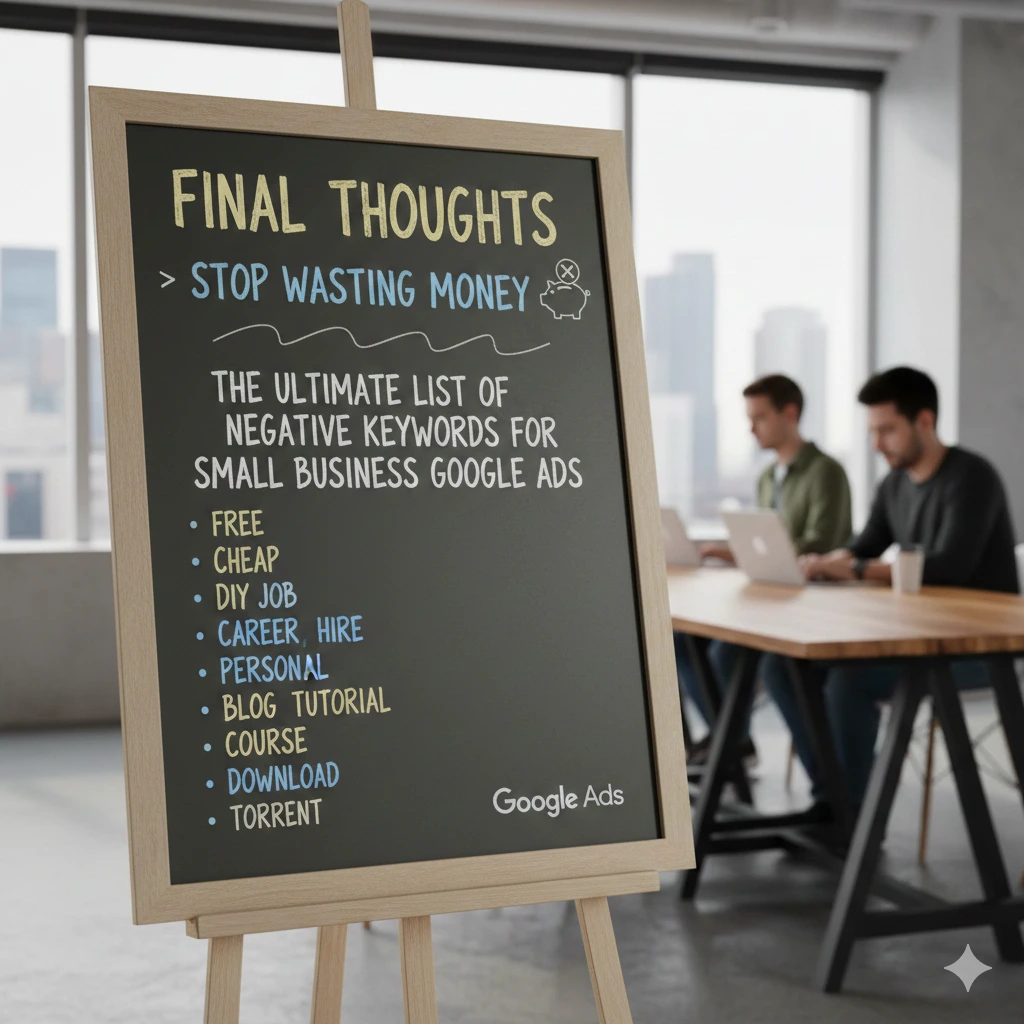
Negative keywords are not a “set-it-and-forget-it” task—they are a profit-building habit. For small businesses, mastering negative keywords for small business is key. For a small business, the goal isn’t to be seen by everyone; it’s to be seen by the right someone.
By spending 15 minutes a week refining your list, you turn Google Ads from a “money pit” into a predictable “lead machine.” Every negative keyword you add is a small raise you give yourself by keeping your hard-earned money in your pocket.
Next step for better Google Ads ROI: Go to your Search Terms Report right now. Sort by “Cost” for the last 30 days. Find the top 3 words that have zero conversions and add them as negatives today.