1️⃣ Introduction: Why Meta Ads for Lead Generation Are Still the #1 Platform

If you’ve been hanging around the digital marketing neighborhood over the past few years, no doubt you’ve heard someone say: “Organic reach… is dead.” Or perhaps, in a bit of an ad exaggeration…”Facebook is dead.” As someone in the trenches for 15 years, I am here to tell you the truth: Meta (and Instagram) is still the most powerful lead generation engine ever built.While platforms like TikTok are great for viral moments and Google is king for high-intent searches, Meta sits in the “Goldilocks zone.” It allows you to interrupt a user’s scroll with something they didn’t even know they needed—but are perfectly suited for.
Why businesses choose Meta Ads for lead generation
The magic of Meta lies in its data. Even with privacy changes (like iOS14), Meta knows the behaviors, interests, and life stages of billions. Whether you are looking for first-time homebuyers, B2B software buyers, or people who need a plumber right now, Meta can find them.
Facebook & Instagram vs. Google Ads for leads
Think of it this way:
- Google Ads is “Pull” marketing. People are actively searching for a solution (e.g., “Divorce lawyer near me”). It’s high intent, but it’s also incredibly expensive and competitive.
- Meta Ads is “Push” marketing. You are creating the demand. This often results in a lower Cost Per Lead (CPL) and allows you to scale much faster because you aren’t limited by how many people are typing a specific phrase into a search bar.
What Meta Ads for lead generation “qualified leads” really mean
Before we go further, let’s clear one thing up. A “lead” is not just a name and an email address. If you generate 1,000 leads but they either refuse to answer the phone or can’t afford what you’re selling, you haven’t done anything—except create a lot of work for your sales team. A lead is someone who has the problem you solve, the authority to decide and that change, and the intent to take an action toward solving their problem.
2️⃣ What Are Meta Ads for Lead Generation?

If you’re new to this, “Meta Ads” is simply the umbrella term for advertising across Facebook, Instagram, Messenger, and the Audience Network.
How Meta collects leads
There are 2 ways to collect information:
On-Platform (Instant Forms): The user clicks your ad and a form slides up inside Facebook or Instagram. It comes pre-filled with their name and email. It’s fast and frictionless.
Off-Platform (Landing Pages): User clicks on your ad and lands on the site to complete a form there.
Difference Between Lead Ads in Meta Ads for lead generation and Website Conversion Ads
In Meta Ads for lead generation. Lead Ads (Instant Forms) generally get more leads for a cheaper price because the user never has to leave the app.
Website Conversions often produce higher quality leads because the user had to wait for a page to load, and physically type in their info – this demonstrates more intent.
Pro Tip: If you are just starting and want your first 100 leads quickly, Instant Forms are almost always the best place to begin.
3️⃣ Understanding Qualified Leads vs. Cheap Leads in Meta Ads for lead generation
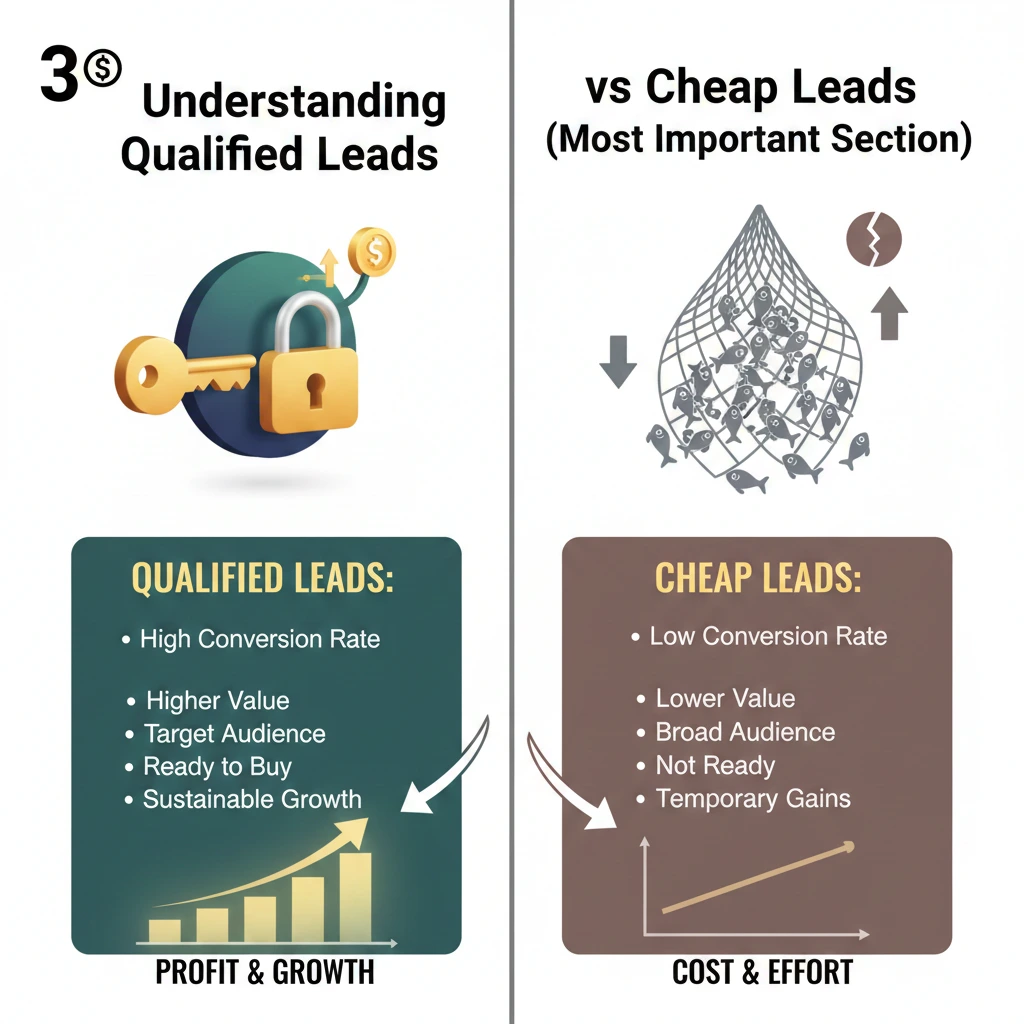
This is the most important section of this entire guide. Most beginners brag about $2 leads. But if those $2 leads are all “fat-finger” clicks (people who clicked by accident) or people looking for freebies, those leads are actually costing you money in lost time.
Why cheap leads often don’t convert in Meta Ads for lead generation
Meta’s algorithm is a “prediction machine.” If you tell Meta, “Get me leads at the lowest cost,” it will find the people most likely to click anything. These are often “serial form-fillers” who have no intention of buying.
Lead quality metrics (CPL vs. Conversion Rate) in Meta Ads for lead generation
Don’t just look at CPL (Cost Per Lead). You need to look at:
Cost Per Qualified Lead (CPQL): How much did it cost for someone who actually met your criteria?
Lead-to-Close Rate: And what did you end up with in terms of money coming your way from 100 leads?
Real-life example: Local service business
Imagine a roofing contractor.
Campaign A: Meta Ads for lead generation. Acquired 50 leads at $10 each (so the total spent was $500). No qualifying questions. 40 leads don’t pick up the phone. 10 are tenants who don’t have the authority to authorise a roof repair—result: $0 Profit.
Campaign B: Three leads that each cost $50 ($500 spent). It’s a question on the form, you see: “Do you own your home?” and “How old is your roof?” 8 of them are homeowners who are ready for a quote. Result: 2 Sales worth $20,000
The lesson? Higher CPL is often the price of a higher ROI.
Your first 100 leads are your Marketing Qualified Leads (MQLs), but your business only grows when you move them through the funnel to become Sales Qualified Leads (SQLs).
4️⃣ Step-by-Step Funnel to Get Your First 100 Qualified Leads in Meta Ads for lead generation
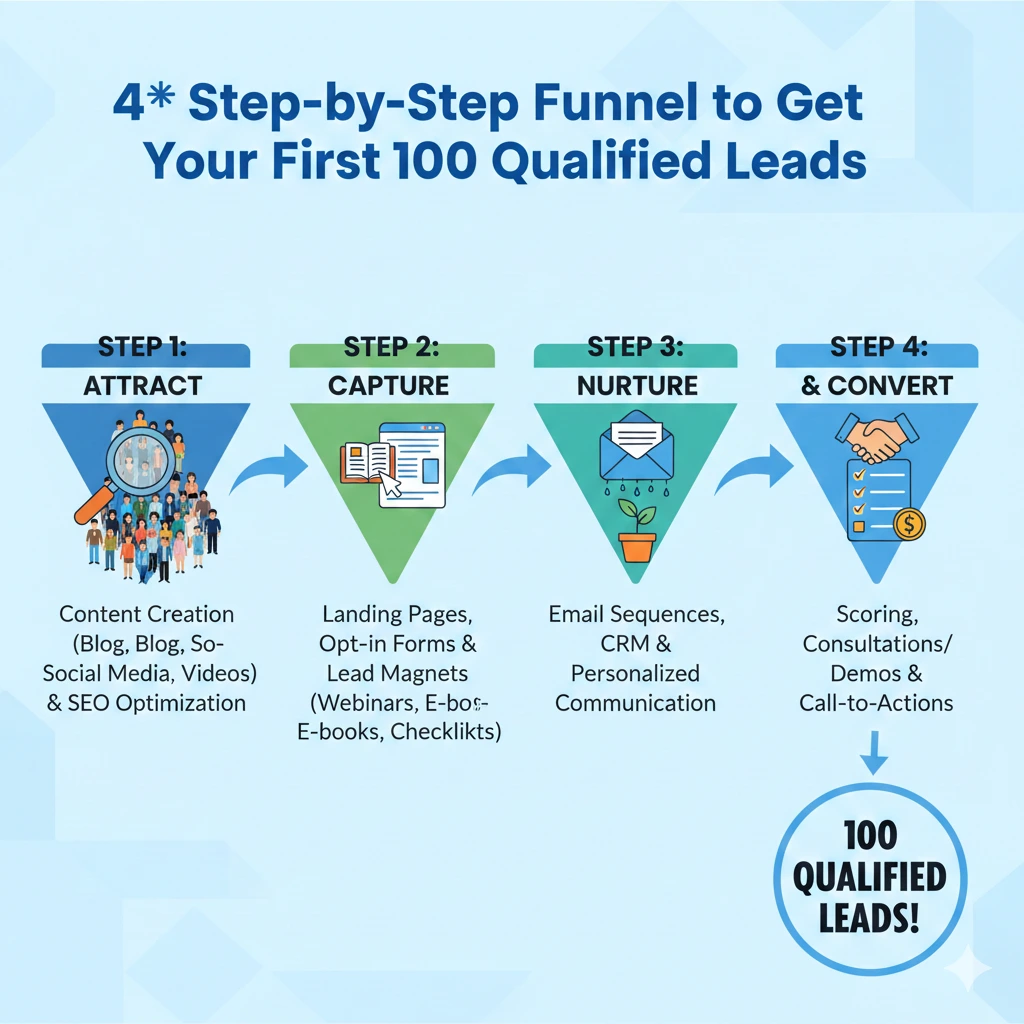
A funnel isn’t just a marketing buzzword; it’s a map of the customer’s journey. For Meta Ads, you need a path that moves someone from “scrolling through dog memes” to “filling out a professional inquiry.”
The “Friction” Funnel (Ad → Lead Form → Follow-up → Conversion)
For your first 100 leads in Meta Ads for lead generation, we want to balance speed with quality. Here is the structure:
- The Ad (The Hook): This stops the scroll. It highlights a pain point or a desire.
- The Instant Form (The Filter): This is where they give you their data. We will add specific “friction” here (custom questions) to make sure they are serious.
- The Thank You Page (The Bridge): Once they submit, don’t just say “thanks.” Send them to a CTA (Call to Action) “Click here to schedule a call” “Download your guide.”
- The Immediate Follow-up: You wait 24 hours to contact a Meta Ads for lead generation, and they will not even remember who you are! The funnel concludes with a CRM or automated email.
Cold vs. Warm Audience Funnel
- Cold Funnel: for people who’ve never heard of you. Your ad had to have educational value and high-value.
- Hot Funnel (Retargeting): Those who watched 50% of your video or visited your site. This is the place you are going to get your best conversion rates.
5️⃣ Choosing the Right Campaign Objective

When you open Meta Ads Manager and click “Create,” Meta asks: “What’s your objective?” Choose “Leads” for Meta Ads for lead generation
Leads Objective Explained
By choosing “Leads,” you are telling Meta’s AI: “Find me people who have a historical habit of filling out forms.” If you choose “Traffic,” Meta will find “clickers” (people who click and leave), not “converters.”
Website Traffic vs. Lead Form Ads
- Website Leads: Awesome if you happen to have an optimized (meaning high converting) landing page (a ClickFunnels or a WordPress page).
- Instant Forms: Better for beginners. It loads 10x faster than a website and puts the user inside of the Instagram/Facebook ecosystem. For the first 100 leads in Meta Ads for lead generation, stay with Instant Forms.
Common Beginner Mistakes in Meta Ads for Lead Generation
The biggest mistake is choosing “Engagement” and hoping people will DM you for business. While it happens, it’s not scalable. Use the dedicated Lead Objective to ensure Meta optimizes for data collection, not just likes and comments.
6️⃣ Audience Targeting That Brings High-Intent Leads

The “Who” is just as important as the “What.” You can have the best ad in the world, but if you show a steakhouse ad to a vegan, you’ve wasted your budget in Meta Ads for lead generation.
Cold Audiences (Interest-Based)
Start here if you have no data. If you are selling luxury watches, you want to target interests such as “Rolex,” “Luxury Lifestyle,” or “Frequent International Travelers.”
- Pro Tip: Don’t stack too many interests. Keep your audience size between 2 million to 5 million for the best results in the US/UK markets.
Custom Audiences (The Gold Mine)
These are people who have already interacted with you. You can upload your email list or target people who engaged with your Instagram page in the last 90 days. These leads are usually 50% cheaper to acquire because the trust is already built.
Lookalike Audiences (LAL)
Once you have your first 100 leads in Meta Ads for lead generation, you can say to Meta: “Show me who looks exactly like these 100 people — and find me 2 million of them.” This is the scale “secret sauce” of Meta Ads.
Targeting Mistakes That Kill Quality
- Too wide: Bidding “Worldwide” or “United States” with no audience filters.
- Over-segmenting: 20 ad sets at $2 each. The effect is to stop the Meta algorithm from “learning.”
7️⃣ Creating High-Converting Meta Ad Creatives
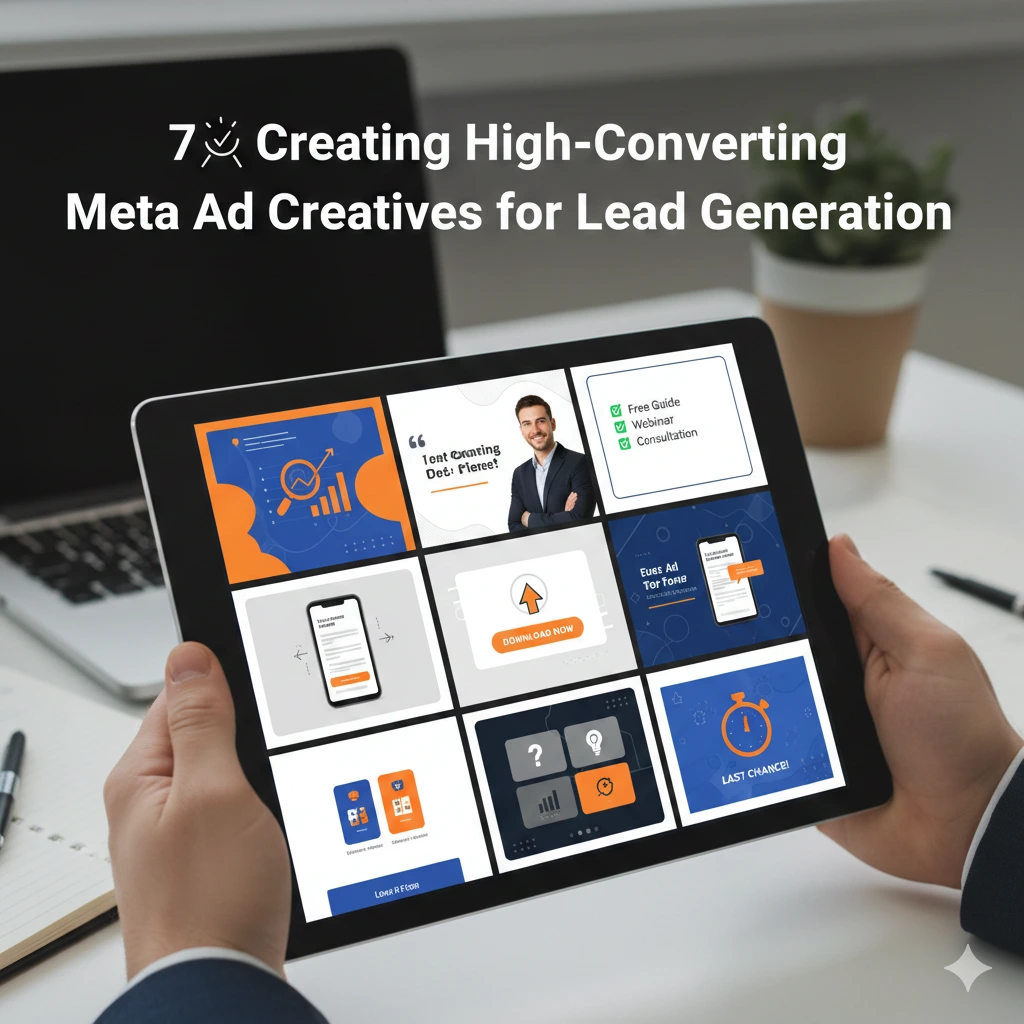
If the targeting is the “engine,” the creative (image/video/copy) is the body of the car. In Meta Ads for lead generation, it’s what people actually see.
Copywriting Formula: AIDA
- Attention: A bold hook (e.g., “Tired of wasting money on XYZ?”)
- Interest: A relatable fact or a “did you know?”
- Desire: The transformation your service provides.
- Action: A clear instruction (e.g., “Tap ‘Sign Up’ to get your free quote.”)
Creative Formats That Work
- UGC (User Generated Content): A selfie-style video of someone talking about your product. This looks like a post from a friend, not an ad.
- Single Image (The “Pro” Look): A clean, high-resolution image with minimal text.
- Carousel: Great for showing multiple features or a “Before & After” sequence.
Hooks That Attract Serious Buyers
In Meta Ads for lead generation. Avoid “Clickbait.” Instead of “You won’t believe this trick!”, use “The 3-Step Process for Homeowners to Save on Solar.” The latter attracts people interested in Solar, not just curious clickers.
Analogy: Your ad is like a shop banner. If your banner says “FREE STUFF,” you’ll get a crowd of people with no money. If your banner says “Premium Consulting for Executives,” the crowd will be smaller, but they’ll have their wallets out.
8️⃣ How to Design Lead Forms That Filter Out Junk

The most common complaint from Meta Ads beginners is: “I got 100 leads from Meta Ads for lead generation, but half of them don’t remember filling out the form!” This happens because Meta makes it too easy to subscribe. By default, Meta uses “More Volume” forms. To get your first 100 qualified leads, you need to add intent.
Instant Forms: “More Volume” vs. “Higher Intent”
When setting up your lead form, choose the “Higher Intent” option. This adds a “Review Screen” at the end, forcing the user to slide a button to confirm their info. This tiny extra step filters out accidental clicks.
Best Questions to Qualify Leads in Meta Ads for Lead Generation
Don’t just ask for Name and Email. Ask 1–2 Custom Questions that require a manual answer:
- For B2B: “What is your monthly company revenue?”
- For Real Estate: “Are you looking to buy in the next 3, 6, or 12 months?”
- For Coaching: “What is your #1 struggle with [Topic] right now?”
Reducing Junk Leads Without Increasing CPL
Use “Work Email” instead of just “Email” if you are in B2B. Also, use Conditional Logic. If someone answers “No” to a qualifying question (e.g., “Do you own a home?”), you can send them straight to a “Not a Fit” thank-you page instead of collecting their lead info and paying for it.
9️⃣ Budget, Bidding & Optimization Strategy for Beginners

How much should you spend to get 100 leads Meta Ads for lead generation? The answer depends on your industry, but the math is simple.
Minimum Budget to Start
Meta Ads for lead generation. To get 100 leads, you need Meta’s algorithm to move out of the “Learning Phase.” This usually requires about 50 conversions per week.
- The Rule of Thumb: Set your daily budget at 3x to 5x your target Cost Per Lead.
- If a lead in your industry costs $10, you should spend at least $30–$50 per day.
Daily vs. Lifetime Budget
For beginners, use Daily Budgets. It gives you more control and makes it easier to see how much you are spending per 24-hour cycle.
Scaling to 100 Leads Without Wasting Money in Meta Ads for lead generation
Don’t double your budget overnight. If you are getting good leads at $20/day and want to go faster, increase the budget by 20% every 2–3 days. If you jump from $20 to $200 instantly, you will reset the algorithm and likely “break” your lead quality.
When to Kill Ads
If an ad has spent 2x your target CPL and has zero leads, turn it off. If it has a high Click-Through Rate (CTR) but no one is filling out the form, your form is likely too long or your offer isn’t clear.
Although we begin by examining CPL, your ultimate objective is Cost Per Acquisition (CPA) & Return on Ad Spend (ROAS)
🔟 Tracking, Follow-Ups & CRM: Turning Leads into Customers
In Meta Ads for lead generation. Taking the lead is only half the battle. The other 50% is the first five minutes after they hit “Submit.”
Why Follow-up Speed Matters
Lead “decay” is real. A lead called in under 5 minutes is 21 times more likely to be qualified than a lead reached after 30 minutes. There is now “cold” lead at 24 hours.
Manual vs. Automated Follow-up
You just can’t keep checking Ads Manager manually for leads. Try an aggregator like Zapier or Make. com to connect Meta to:
Email: An instant “Welcome” email.
SMS: A sales SMS (98% of all SMS messages are opened).
CRM: A software program like HubSpot, Pipedrive, or just an old fashioned Google Sheet.
Simple CRM Setup
Use a Google Sheet as your CRM if you’re on a tight budget. Each time a lead is received, a row is filled in. To monitor your progress towards those first 100, add columns labelled “Status” (New, Contacted, Appointment Set, Closed). To ensure your data is accurate, set up the Meta Pixel and Conversions API so Meta can track every step from click to customer.
1️⃣1️⃣ Common Meta Ads for Lead Generation Mistakes (And How to Fix Them)

- Broad Targeting Errors: Avoid focussing on “Everyone.” Your advertisement should target a single individual, even if your product can benefit everyone.
- The “Set it and Forget it” Trap: Meta Ads aren’t a slow cooker. You need to check your “Frequency” metric. If it’s over 3.0, it means people are seeing your ad too often and getting “ad fatigue.”
- Ignoring the “Thank You” page: This is real estate! Say more than just “We’ll call you.” Say something like “Book a 15-minute discovery call here” or “Join our Facebook Group” (link to your Calendly).
1️⃣2️⃣ Realistic Results: What to Expect from Meta Ads
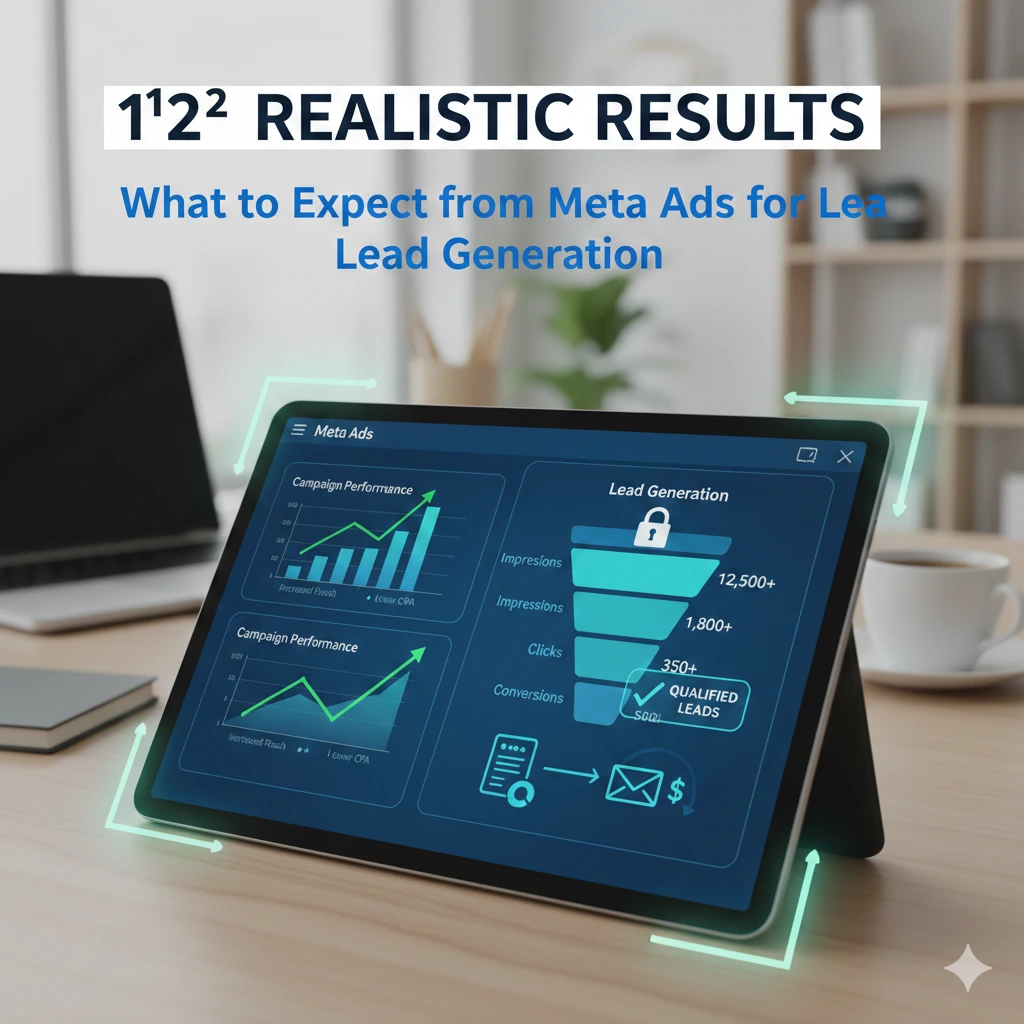
One of the biggest reasons advertisers quit in the first month is mismatched expectations. Meta Ads for lead generation. You aren’t just buying leads; you are buying market data.
Average CPL Benchmarks
While every niche is different, here are some broad benchmarks for Cost Per Lead (CPL) using Instant Forms in 2024–2025:
- Real Estate: $15 – $40
- Health & Fitness: $5 – $15
- Professional Services (B2B): $30 – $80
- Home Services (Roofing, HVAC): $25 – $60
- E-commerce/Info-Products: $3 – $12
Timeline to Your First 100 Leads in Meta Ads for lead generation
If you follow the budget advice in Section 9 ($30–$50/day), you can expect to hit 100 leads within 14 to 30 days. The first week is usually “volatile” while Meta learns. Do not panic-adjust your settings in the first 72 hours.
Expectations vs. Reality
- Reality Check: Approximately 20–30% of 100 leads will be “bad numbers” or unresponsive. An additional 40–50% will be “window shoppers” who are intrigued but not yet prepared to make a purchase. The remaining 20–30% are your “Gold Leads.” Your objective is to earn enough from the top 20% to cover the campaign’s entire cost.
1️⃣3️⃣ Final Checklist: Meta Ads for Lead Generation Success

Before you hit the “Publish” button, run through this veteran’s checklist to ensure you haven’t missed a critical gear in the machine.
Campaign & Audience Checklist
- [ ] Is the campaign objective set to Leads in Meta Ads for lead generation (not Traffic)?
- [ ] Iss the CPLU Optimized having iss ADVCPLU9 Campaign Budget turned?
- [ ] Your audience is 2M – 10M for broad or 500k+ for niche.
- [ ] Have you removed individuals who already converted to save on costs?
Creative & Form Checklist
- [ ] Does the first line of the ad (the hook) stop the scroll?
- [ ] Does the image/video look like native content (not a “spammy” ad)?
- [ ] Is this Meta Ads for lead generation? Lead Form set to “Higher Intent”?
- [ ] Did you ask at least one custom question to filter out low-intent users?
- [ ] Is your Privacy Policy link included? (Meta requires this!)
Lead Quality & Follow-up Checklist
- [ ] Have Zapier/Make hook it up so that the moment someone opts in at your lead form, you know about it?
- [ ] Do you have day 1 email + SMS sequence in place?
1️⃣4️⃣ Conclusion: How to Scale After Your First 100 Leads

Congratulations! What can be more valuable than 100 leads is what we refer to as Proof of Concept. That means you’ve validated your offer and your funnel.
What to Optimize Next
Don’t just spend more money. Look at your Creative Reporting. Which one generated the most leads? What was the best-performing headline?
- The 80/20% Rule: The Most of your leads come from the least of your adds. “Double down on the winners and ‘kill’ the losers.
Scaling Strategies
There are two ways to scale:
- Scale vertically: Up the daily limit of you winning ad sets by 20% every few days.
- Horizontal Scaling: Take your 100 leads and create a 1% Lookalike Audience. This tells Meta, “Find me more people exactly like the ones who just filled out my form.”
The Long-Term Roadmap
After all… Meta Ads for lead generation is a marathon, not a sprint! The companies that win on Meta are those which create a Brand, not just a campaign. Once you’re up and running, begin mixing in “Brand Awareness” videos with your Lead Ads. This way, when people walk by your shape, they already know who you are!
Meta Ads are the final business growth lever. You have the plan, you see the path and now I’ve just given you the technical how-to so that You can: Get Your First 100 Leads. All that remains now is to launch.
If your business wants digital marketing services, visit: Adrunkaro