
Uncategorized

SEO company for doctors in Delhi helping clinics get patient appointments
Uncategorized

The Definitive Guide to Choosing an SEO Company in Delhi for Doctors & Clinics (Ultimate Checklist – 2026)

Introduction This guide is written for non-technical medical professionals. It will help you bypass the sales fluff and choose an seo company in Delhi that understands the business of healthcare. In June 2023, it was established that many doctors and clinic owners in Delhi NCR are struggling to fill their waiting rooms with patients, despite their expertise as physicians or clinic owners. For this reason, these professionals may have continued to pay large monthly fees as commissions to aggregators (such as Practo or Justdial) in order to “rent” patients. Additionally, many have likely had their experience with a so-called “digital marketing” agency, which promised them ranking #1 on Google within 30 days, but delivered to them in terms of actually providing any patients with appointments. Over the next five years, this problem will only become greater, as there will be even more agencies promoting “cheap SEO packages” that actually do more harm than good for the client. Instead of hoping to receive more traffic or “brand recognition,” a medical professional’s only need is for a patient to use the keyword “specialist” when performing a search, locate that physician’s practice through Google Maps, be confident in the practice’s ratings, and click on the “Book Appointment” link. The purpose of this guide is to be able to provide a resource to assist non-technical medical professionals with forming a partnership with an SEO company for medical professionals in Delhi that understands the medical field. Why SEO for Doctors Is Different (The “YMYL” Factor) Search engine optimization (SEO) for a healthcare provider is not similar to restaurant or plumber SEO. Google classifies healthcare businesses as belonging to the “YMYL” (Your Money or Your Life) category. This classification places much stricter standards with regard to accuracy and trust in medical businesses as compared to others. A standard SEO agency that uses “copy-paste” tactics will fail you because: 1. Trust is Non-Negotiable If a shoe retailer inaccurately lists their merchandise, a customer can simply buy the wrong size; however, if a cardiologist inaccurately lists their qualifications, the health of a patient could be compromised or jeopardized. Google recognizes this and Give low-quality medical websites a penalty. Your content must demonstrate a high E-E-A-T when marketing themselves online (the experience, expertise, authority and trustworthiness). 2. Local Intent is Critical 85% of patients search for “near me” or specific geographical areas (ex, “Gynecologist in Dwarka” or “Pediatrician in Lajpat Nagar”). If your agency ranks you on a general term such as “Best Doctor in India, they have wasted your money and time. 3. Google Maps is the New Homepage In 2026, the majority of patients will not even visit your website to look up your clinic. They will search Google for your Google Business Profile, look for at least 3-4 Reviews, see if you are in close proximity, and contact you directly. 4. Reputation Management For medical professionals, Reviews = Word of Mouth. A great SEO strategy will provide you with an ethical process to acquire real patient reviews, meeting the guidelines set forth by the Medical Council of India (MCI) for advertising. [Internal Link: Learn more about our Local SEO Services for Clinics] Common Mistakes Doctors Make When Hiring an SEO Company Before you sign a contract, ensure you aren’t making these classic errors that clinic owners in Delhi often fall for: 1. Falling for the “Cheap Package” Trap SEO services available for ₹5000 to ₹8000/month from various agencies based in New Delhi. In order to get a good write up for medical content, a Professional Writer will charge between ₹2000 and ₹3000 per article. To purchase a Professional SEO (for example: Ahrefs/Semrush) software it costs around ₹15000/month. If an agency charges you ₹8000/month, then they are most likely either using spammy AI-generated content or bot-generated backlinks, which will eventually result in the penalization of your site. 2. Believing “Guaranteed Rankings.” No one person or company owns Google. If an agency states that they can guarantee “#1 Results within 30 days”, then they are either not telling you the truth or are using Black Hat tactics (illegal) that will provide a temporary benefit before your business is banned from Google. 3. Ignoring “Medical” Experience Does your agency understand the differences between “Interventional Cardiology versus Noninvasive Cardiology”? If they do not, then they will be targeting the wrong keywords for you, sending you traffic that will never convert to sales. 4. Focusing on the Website, Ignoring Maps Recently, I’ve talked to numerous doctors who’ve spent millions of rupees on creating a stunning website, but have poorly managed or unclaimed Google Maps listings. Google Maps makes up between 60-70% of all potential patients choosing a local office or clinic. Red Flags to Avoid (The “Run Away” Checklist) If anyone in the sales department of an SEO agency makes one of the following statements during an in-person meeting as a sales pitch, you should terminate the meeting because the techniques mentioned are extremely harmful. 1. “We guarantee you will rank number 1.” 2. “We will purchase links to build backlinks.” 3. “You won’t have to approve content before it is published.” 4. “You will be giving up ownership of your ad accounts/analytics.” 5. “We won’t provide support for Google Maps; we only provide support for your website.” 6. “We can simply duplicate content from other sites that rank higher.” 7. “We require a 12-month commitment.” If you’re considering hiring an SEO company in Delhi for your medical practice, watch out for any of the above red flags. The Ultimate Checklist: How to Choose the Right Agency You should use this checklist when looking for a partner for SEO. A quality agency will answer every item on this checklist with a ‘Yes’.  Phase 1 – Experience in Healthcare [ ] Have you previously worked with doctors or hospitals in my particular specialty? [ ] Can you provide me with a case study that demonstrates improved patient inquiry rather than just increased traffic? [ ] Are you knowledgeable about the MCI


Uncategorized

Stop Wasting Money: The Ultimate List of Negative Keywords for Small Business Google Ads

As a small business owner, managing a Google Ads campaign frequently feels like trying to fill a bucket with a hole in the bottom. Your bank account is lighter at the end of the month even though you have chosen your keywords and set a budget, but your phone isn’t ringing with the right clients. This guide is for you if you’ve ever wondered, “Why did I pay $10 for a click from someone looking for a ‘free template’ when I sell a $500 service?” after looking at your billing statement. This is exactly where negative keywords for small business become essential. Introduction – Negative keywords for small business Google Ads Why Small Businesses Lose Money on Google Ads – Small Business PPC Keyword Strategy Small companies have narrow profit margins. In contrast to large companies with “branding budgets,” every dollar you spend on Google Ads must result in a lead or a sale. However, most small businesses lose between 20% to 50% of their budget on clicks that had zero chance of ever converting. This is why negative keywords for small business are critical to profitability. The problem isn’t usually your product or your landing page; it’s the intent of the person clicking. The Hidden Reason Behind Irrelevant Clicks – Search Intent Filtering in Ads Google’s job is to show your ad to people whose searches relate to your keywords. But “related” is a broad term. This is where negative keywords for small business play a crucial role. If you are a plumber in Austin, you might bid on the keyword “Plumber.” Google might show your ad for: You paid for those clicks. You lost money. This is the “Intent Gap”—the space between what you sell and what the user is actually looking for. What This Guide Will Help You Fix (Quick Wins) This textbook isn’t theoretical. After completing this guide, you will understand how negative keywords for small business help you: What Are Negative Keywords in Google Ads? – Negative Match Types in Google Ads Simple Definition (No Jargon) Regular keywords can be thought of as “Green Lights” (Show my ad when someone types this). Negative keywords can be compared to “Red Lights” (Stop! If this word appears in the search, DO NOT display my advertisement. Google is informed by a Negative keywords for small business that “I know my main keyword is in there, but because this specific word is also present, I don’t want to pay for this click.” Google’s Approach to Negative Keywords Adding a negative keyword to Google’s auction system is equivalent to adding a filter. For small businesses, using negative keywords for small business ensures your budget is spent wisely. Google looks at your negative list before deciding to place your advertisement. Your advertisement is removed from that particular search result if a match is discovered. This ensures that your budget is saved for better opportunities and occurs in milliseconds. Difference: Keywords vs. Negative Keywords Feature Regular Keywords Negative Keywords Goal Attract traffic Filter traffic Cost You pay for these They save you money Targeting Broadens your reach Refines your reach Matching Google tries to find “close variants” Google is much stricter (no close variants) Why Negative Keywords Matter for Small Businesses Budget Control for Low Ad Spend If your daily budget is $20, and you pay $5 for a “junk” click, you’ve just wasted 25% of your daily budget. For a small business, negative keywords for small business are the primary tool for budget protection. It’s about making a small budget feel like a big one by being surgically precise. Higher Quality Score Explained Simply – Improve Google Ads Quality Score Google rewards relevant ads. If your ad shows up for “Free Divorce Lawyer” but you are a high-end firm that doesn’t offer free services, users will either: In both cases, your Quality Score declines. If your advertisements have a low Quality Score, they will cost more. When you use negative keywords to remove irrelevant impressions, your CTR rises, your relevance rises, and Google eventually lowers your price-per-click. Better Leads, Not More Clicks In the world of small business, “more traffic” is a vanity metric. You don’t want 1,000 people looking for “free advice.” You want 10 people looking to “book a consultation now.” Negative keywords for small business act as a “Bouncer” for your website, only letting in the VIPs (Potential Customers). Types of Negative Keyword Match Types – Negative Match Types in Google Ads One of the most frequent errors made by small business owners is adding negative keywords without understanding Match Types. If you are careless, you might inadvertently block the very clients you are trying to attract. Unlike regular keywords, negative match types do not include close variants (like plurals or misspellings). You must be exact. 1. Wide Negative Match By default, this is the configuration. This setup is especially important when managing Negative keywords for small business. If you include a word as a broad negative, your advertisement won’t appear if the search includes every word in your negative keyword, regardless of the order. 2. Phrase Negative Match Your ad won’t show if the search contains the exact keyword phrase in the same order. It can have extra words before or after. This match type is especially useful when structuring Negative keywords for small business. 3. Exact Negative Match This is the most restrictive. Your ad won’t show only if the search is exactly the negative keyword, with nothing else. Exact match is a powerful tool when using negative keywords for small business. When to Use Each (Decision Table) Match Type Best For… Example Broad General concepts you want to avoid entirely. free, cheap, DIY Phrase Specific terms that change meaning with context. “how to”, “near me” Exact Single words that are sometimes okay in a sentence. , [glass] The Ultimate List of Negative Keywords for Small Businesses (This is the ranking gold section. Copy these into your Negative Keyword Lists.) 🔹 General Negative Keywords (Most

Uncategorized

The 15-Minute Marketing Audit for Small Business Owners

This guide provides a rapid-fire marketing audit checklist designed to help you spot red flags, identify quick wins, and stop leaking money. As a small business owner, you probably have your hands full with multiple hats. Apart from dealing with the administration, customer service, and actually running your business, marketing becomes an unorganised mess! Sound familiar? You’re not alone. The statistics prove that nearly 47% of small business owners do the marketing work on their own with no clear plan. And that equates to “Spaghetti Marketing” – throwing it against the wall hoping it will stick. The end result? Wasted money and time. However, to have clarity, you don’t have to spend lots of cash on a marketing consultant. Trust me when I say that doing a marketing audit for a small business will give you incredible insights, and all it takes is just 15 minutes. This guide is a rapid-fire marketing audit checklist that is intended to assist you in identifying red flags, fast wins, and money leaks. Introduction to the 15-Minute Marketing Audit Why a Marketing Audit Matters for Small Businesses What You Need Before You Start The 15-Minute Marketing Audit Checklist How to Analyze Your Audit Results Common Red Flags and Quick Wins Next Steps After Your Marketing Audit Free Tools and Resources Frequently Asked Questions Conclusion Why a Marketing Audit for Small Businesses is Critical Before we set the timer, let’s clarify what we are doing. A marketing audit is merely a methodical review of your existing marketing environment, objectives, strategies, and processes. It can be likened to a medical examination of your business for healthy growth. In most cases, owners do not carry out this step because they are afraid of what they might discover, or it might involve days of analysing data. In a normal small business marketing audit, even a mini-marketing audit, you will be looking at: We suggest doing a quick audit every quarter and a full deep dive one time each year. For this first quarter, we will be completing the pulse check, which is a quick and simple method to help you keep momentum. As a small business owner, we know that most likely you are doing it all yourself or have multiple hats that you wear on daily basis. Running (not in the sense of exercising) your business plus handling customer service is usually enough to keep any person quite busy! Adding the marketing aspect of your business onto everything else only adds to the craziness; therefore your marketing efforts are typically just a hodgepodge of social media posts, maybe a couple of email blasts, and a wish or hope for success. Sound familiar? You are not alone. Research shows that 47% of small business owners take care of their own marketing—individually—and this is clearly a recipe for improvement on your business’ marketing, which in turn is your biggest opportunity, and will most likely also be one of the largest expenses for your business. In addition to all of the information you can receive from your marketing audit for small businesses using this quick method, you will still save yourself time and money on hiring a marketing consultant, because it will only take you approximately 15 minutes to conduct your audits! The marketing checklist provided below was created to assist you with quickly identifying areas of concern, identifying opportunities for quick success, and finding out how much money you are losing with your current marketing efforts. The Importance of a Marketing Audit for a Small Business Before we go to the timer, let’s define briefly what we are supposed to do. A marketing audit is no more than an examination or an overview, in fact – a health check if you like, of your current marketing environment or set of objectives. Owners often don’t do this step because they don’t want to see the truth that may be there, or they believe that it’s too time-consuming to go through all the data. Actually, in a normal small business marketing audit, one can expect the following: It is our advice to do a quick pulse check every quarter, and an annual deep dive. Today, though, we are going to talk about quarterly pulse checks-the quick 15-minute “check-in” that keeps you on point. Gather These 5 Things Before Your 15-Minute Marketing Audit To stick to the 15-minute promise, you need to be prepared. Don’t worry, you don’t need to be a data scientist. Just have these five items open in browser tabs or written on a notepad: If you want to stick to your time limit of 15 minutes to complete this task, it will help to have everything ready before you start! You do not need me to tell you that, and you also do not need to be a Data Scientist! Here are five things you should have open as browser tabs or written on a Notepad, before we get started: Your Complete 15-Minute Marketing Audit Checklist Ready? Set your timer. We are going to move fast. This isn’t about fixing problems right now; it’s about identifying them. Pro Tip: Don’t stop to fix a broken link or edit a caption. Write it down in your notes and keep moving. Minutes 1-3: Website & SEO Quick Check Your website is your digital storefront. If it’s messy, customers leave. The Checklist: Quick Action Item: If your site takes more than 3 seconds to load, note “Fix Site Speed” as a high priority. Your website is your digital storefront. If it’s a mess, customers leave. Checklist Minutes 4-6: Content Marketing Review Content is how you build trust. Let’s see if your marketing assessment for small businesses reveals a content gap. The Checklist: Quick Win: Identify your top-performing post from the last year. Plan to update it or reshare it. The Checklist Quick Win: Find your most successful post from the past year. Have a plan to refresh or repin it. Minutes 7-9: Social Media Presence Evaluation Social media is often

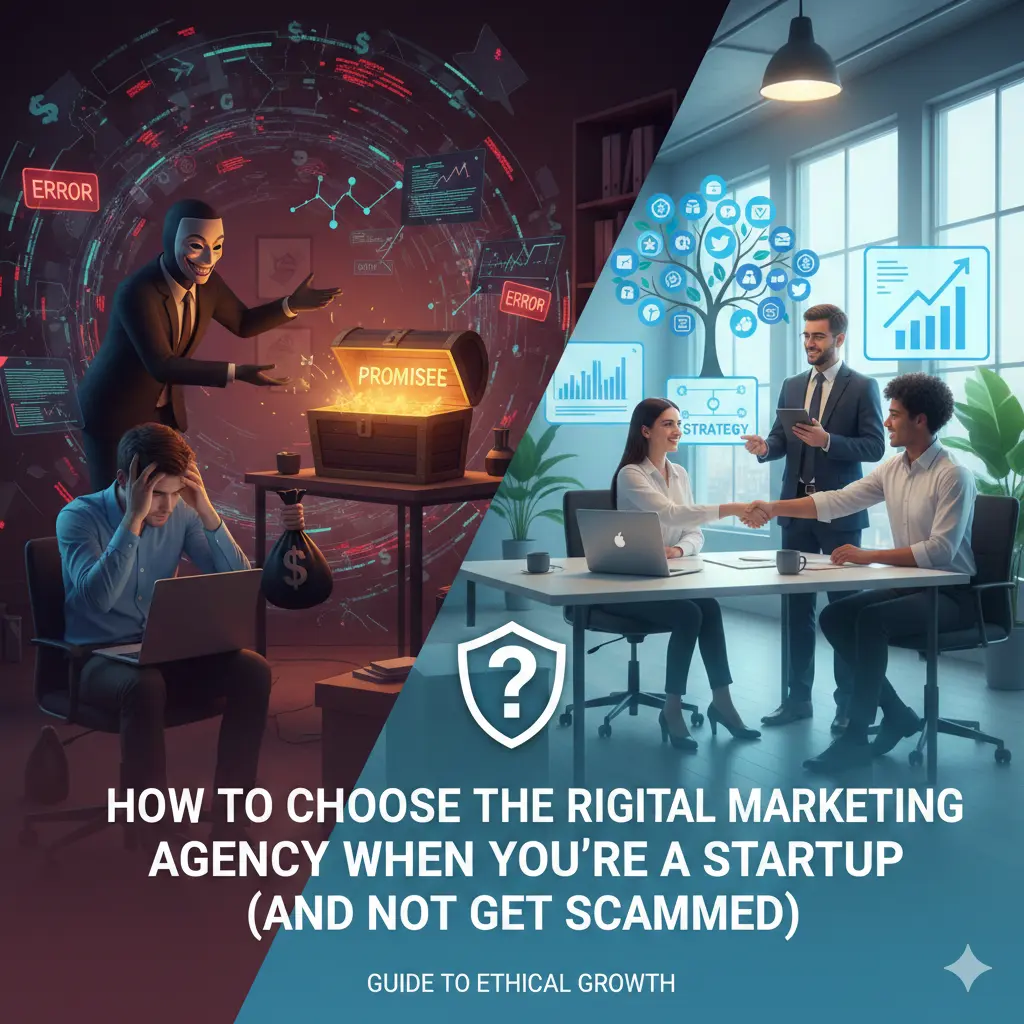
How to Choose the Right Digital Marketing Agency When You’re a Startup (And Not Get Scammed)
Uncategorized

How to Choose the Right Digital Marketing Agency When You’re a Startup (And Not Get Scammed)

Choosing a digital marketing agency as a startup is quite similar to dating in your early twenties. Everybody looks great in their profile picture, everybody says they want a “long-term partnership,” but three months in to the relationship you find out that nominal decision maker has been ghosting your e-mails and spending your budget on things that don’t budge the needle. For a startup, a bad hire isn’t just a minor setback—it can be a terminal diagnosis. When you’re burning through seed funding or personal savings, every dollar needs to work like a high-performance athlete. Why Most Startups Lose Money Choosing a Wrong Digital Marketing Agency I’ve seen it happen dozens of times: a founder gets a $50k infusion of cash, panics because they aren’t growing fast enough, and hires the first agency that promises “explosive growth.” Six months later, the money is gone, the “leads” were just bot traffic, and the founder is back at square one, but with 50% less runway. Real Startup Mistakes Most startups stumble at this hurdle because they recruit for outputs, not outcomes. They think, “I need someone to post on Instagram,” not “I need a customer acquisition strategy.” Why “Cheap” and “Guaranteed Results” are Traps When it comes to digital marketing, “guaranteed results” is the mother of all red flags. There is no one on this earth, including Google employees, who can promise that your site will be on page one within a certain amount of time. Algorithms change.Competitors bid higher. When an agency is “cheap,” they are usually doing one of two things: What Does “Choosing a Digital Marketing Agency” Really Mean? Before you sign a contract, you must know what it is in stark terms that you actually seek. Is it an agency, freelancer or consultant? Freelancer: Best for consistent projects (example: “I’ll need 5 blog posts per month”). They tend to be less expensive, but don’t have the broad cross-section of a full team. Consultant: They have you do it, but they don’t typically actually do it for you. Great for high-level strategy if you have an internal team already. Agency: A team of specialists. You receive a strategist, a copywriter, a designer and a media buyer. Why Startups Need Partners, Not Vendors A vendor fulfills an order. You ask for an ad, they make an ad. A partner challenges you. A partner says, “I know you wanted a Facebook campaign, but looking at your data, your conversion rate on your landing page is so bad that we’d be throwing money away. Let’s fix the page first.” Startups need partners who understand the “messy middle” of scaling. Why Startups Are the Easiest Targets for Digital Marketing Scams Scammers love startups because startups are often desperate. Desperation creates blind spots. Psychological Triggers Agencies Exploit Agencies often use FOMO (Fear Of Missing Out). “If you don’t start SEO now, your competitor will own the space forever.” Or they use Authority Bias, throwing around jargon like “programmatic RTB” or “algorithmic attribution” to make you feel like they know something you don’t. Lack of Marketing Literacy If you don’t know the difference between CPA (Cost Per Acquisition) and CPM (Cost Per Thousand Impressions), an agency can easily hide a failing campaign behind “high impression counts.” They show you pretty graphs of “engagement” while your bank account stays empty. Time Pressure & Funding Fear Startups are often on a “grow or die” timeline. Scammers know this and promise “quick wins” to exploit that pressure. Types of Digital Marketing Agencies (And Which One You Actually Need) Agencies are not all created equal. Choose the wrong type, and it’s like hiring a plumber for electrical work. Full-Service Agencies: They handle PR and PPC. Performance Marketing Agencies: They are interested in ROI only and typically have eyes for paid (Google, Meta, TikTok). Niche Specialists (SEO, Email, Content): They are really good at doing one thing. ✅ Startup Recommendation Matrix If your goal is… You should hire… Testing Product-Market Fit A Senior Freelance Strategist Scaling Sales Quickly A Performance Marketing Agency Building Long-term Authority An SEO/Content Specialist Agency Total Brand Overhaul A Creative/Branding Agency 10 Red Flags That Signal a Choosing a Digital Marketing Agency Scam If you see these, run. Don’t walk. The Right Questions to Ask Before Choosing a Digital Marketing Agency Don’t let them do all the talking. Use these: How to Evaluate an Agency’s Case Studies the Smart Way Case studies are marketing for marketers. They are designed to look perfect. To see the truth: Understanding Before Choosing a Digital Marketing Agency Pricing (So You Don’t Overpay) Retainer vs. Performance-Based The Golden Rule: A “cheap” agency that costs $1,000/month but generates $0 is infinitely more expensive than an agency that costs $5,000/month but generates $20,000 in profit. The Startup-Friendly Digital Marketing Agency Checklist Skills Checklist: Process Checklist: Should You Hire an Agency or Build an In-House Team First? This is the $100,000 question. Hire an Agency if: You need to move fast, you need multiple skill sets (design + copy + tech), and you don’t have time to manage a person. Hire In-House if: Marketing is your core competency, you have the time to train someone, and you need 24/7 focus on your brand. The Hybrid Model: Many successful startups hire one “Head of Growth” internally to manage 1-2 specialized agencies. This gives you internal accountability with external firepower. Real Examples: Good vs. Bad Digital Marketing Agency Experiences The Bad: A SaaS startup hired a “Growth Hacking” agency. The agency ran ads to a broad audience to get “cheap clicks.” The clicks were real, but the users didn’t need the software. The startup spent $20k in a month and got 2 sign-ups. The Good: A DTC brand hired a specialist email agency. The agency spent the first two weeks just fixing the “abandoned cart” flow and cleaning the list. No new ads were run. Revenue increased by 15% in the first month just from existing traffic. Final Decision Framework for Choosing a Digital Marketing Agency Before you sign, use a Scorecard Model. Rate each agency 1-10 on: The Trial Project Strategy: Never

20 Awesome Blog Content Ideas for Small Businesses That Drive Traffic
Uncategorized

20 Awesome Blog Content Ideas for Small Businesses That Drive Traffic

Did you know that businesses using blogs outperform their counterparts by taking home 126% more leads? Even so, many people sit and wait for their cursors to blink as they experience writer’s block. It is easy to know that blogging is precisely what you need, but when it is time to write, that is a different experience. If you are looking for blog content ideas for small businesses, then this article will prove to be helpful to you. The secret to a successful blog is more about answering a question and solving a problem rather than talking about a product. In this tutorial, we are going to take you beyond general tips. You are going to find out 20 blog topics that drive traffic, along with examples and templates that you can implement right now. These tips would be useful whether you have an offline bakery business, B2B consulting, or an e-commerce site.    Note: In order to best benefit from this article by getting the best out of Google, you may be interested in our [Internal Link: Ultimate Guide to SEO Basics]. Why Blogging Matters for Small Businesses  Prior to delving into more specific concepts, it is important that you see why you are placing so much emphasis on this. Content marketing for small businesses is more than a trend; instead, it is an essential foundation of online success. The ROI of Business Blogging According to the latest numbers from HubSpot, marketers who focus on blogging have a 13x higher likelihood of realizing positive ROI. The execution of small business blogging strategies will turn your website from a cyber brochure into a lead-generating machine. 20 Awesome Blog Content Ideas Here are 20 high-impact blog content ideas for small businesses categorized to help you attract, engage, and convert your audience. 1. The Ultimate How-To Guide / Tutorial Explanation: Educational content is the backbone of the internet. Teach your audience how to do something relevant to your industry. This positions you as a helpful expert rather than just a salesperson. Example/Template: Reason: The foundation of the web is educational content. Educate your target audience on how to do something related to your business. This will make people look at you as a resource, rather than just a sales tool.  Example/Template: 2. Industry News and Trends Commentary Explanation: Describes a breaking news or trend in your area of business and talks about how you can provide a one-of-a-kind perspective on those issues. Don’t just share the information; describe how you will help your clients.  Example/Template: 3. Case Studies and Success Stories Explanation: Describes a specific issue that a client faced and the way your product/service addressed that issue. Case studies are a strong source of social proof, and people researching case studies typically have already done their homework, so this is a great way to attract bottom-of-funnel leads (clients who are about ready to purchase). Pro Tip: Use the S.T.A.R. technique: Situation, Task, Action, Result. 4. Behind-the-Scenes Content Explanation: Pull back the curtain on your business operations. Show the humans behind the brand, the manufacturing process, or a “day in the life.” Example/Template: 5. Customer Spotlights and Testimonials Explanation: Use customer success. Feature a customer who succeeds thanks to your service. Interview the customer about his or her success, or tell his or her story, including how your service is an important part of that success. Example/Template: 6. Problem-Solving Posts (Pain Points) Explanation: Identify the largest pain your customers experience, perhaps one that is never related to your offering, and then solve that. Example: 7. List Posts and Roundups Explanation: The classic “listicle.” Compile a list of tips, resources, books, or strategies. These types of articles are super readable and shareable.  Example/Template: 8. Comparison Articles (This vs. That) Explanation: Compare two popular options, products, or strategies in your niche. Share the pros and cons of each.  Example/Template: 9. FAQs and Myth-Busting Explanation: Identify the top 10 questions asked of your sales group and write a blog post to provide answers to those questions. Additionally, write a post to correct a misconception in your industry.  Example/Template: 10. Seasonal and Timely Content Explanation: Develop content around holidays, seasons, or national months (for example, Small Business Month). Example/Template: 11. Expert Interviews Explanation: Conduct an interview with a thought leader or influencer who works within your industry. Prepare 3-5 insightful questions and offer your influencer or thought leader an opportunity to answer them in an interview style.  12. Original Data and Research Findings Explanation: Survey or analyse your own internal records to uncover interesting patterns amongst your customers, and then write a blog post about your findings  13. Resource Lists and Tools Explanation: Create your own list of valuable resources, websites, or applications for your audience. Example/Template: 14. Product or Service Explainers (Deep Dive) Explanation: Think past the sales page. Create a substantial posting about a particular product feature, or a subtlety of your services.  Example/Template: 15. Local Community Content Explanation: If you own a local business, talk about your local city or area. Other local businesses or events are great to showcase.  Example/Template: 16. Employee Spotlights Explanation: Mention a member of the team. Talk about the work they do, the things they enjoy doing outside of work, and what they like most about the organization they work with. Example 17. Infographic-Based Posts Explanation: Illustrate a complex issue in infographic format. The blog post can simply be a brief intro to the infographic.  Example/Template: 18. Video Content Transcriptions Explanation:If you do YouTube videos or Instagram Reels, transcribe the audio from it, clean it up, and publish it as a blog post.  Example/Template: . 19. User-Generated Content (UGC) Features Explanation: Create a photo or story montage of your customers posting about your product on social media sites.  Example/Template: Pro Tip: It’s essential that you have permission from the customer before sharing the image on your blog. 20. Future Predictions and Insights Explanation: Please discuss the direction that your industry is going over the next 1, 5, or

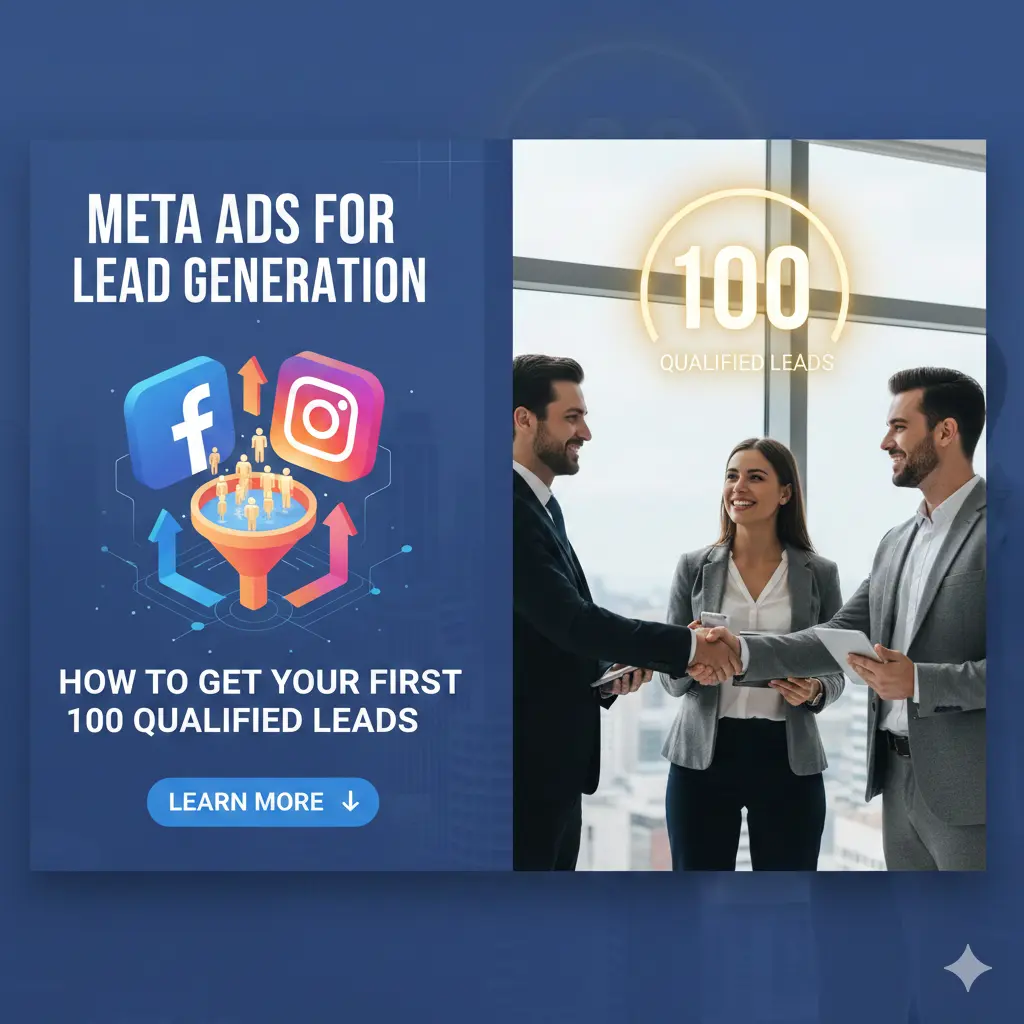
Meta Ads for lead generation: How to Get Your First 100 Qualified Leads on Facebook & Instagram
Uncategorized

Meta Ads for lead generation: How to Get Your First 100 Qualified Leads on Facebook & Instagram

1️⃣ Introduction: Why Meta Ads for Lead Generation Are Still the #1 Platform If you’ve been hanging around the digital marketing neighborhood over the past few years, no doubt you’ve heard someone say: “Organic reach… is dead.” Or perhaps, in a bit of an ad exaggeration…”Facebook is dead.” As someone in the trenches for 15 years, I am here to tell you the truth: Meta (and Instagram) is still the most powerful lead generation engine ever built.While platforms like TikTok are great for viral moments and Google is king for high-intent searches, Meta sits in the “Goldilocks zone.” It allows you to interrupt a user’s scroll with something they didn’t even know they needed—but are perfectly suited for. Why businesses choose Meta Ads for lead generation The magic of Meta lies in its data. Even with privacy changes (like iOS14), Meta knows the behaviors, interests, and life stages of billions. Whether you are looking for first-time homebuyers, B2B software buyers, or people who need a plumber right now, Meta can find them. Facebook & Instagram vs. Google Ads for leads Think of it this way: What Meta Ads for lead generation “qualified leads” really mean Before we go further, let’s clear one thing up. A “lead” is not just a name and an email address. If you generate 1,000 leads but they either refuse to answer the phone or can’t afford what you’re selling, you haven’t done anything—except create a lot of work for your sales team. A lead is someone who has the problem you solve, the authority to decide and that change, and the intent to take an action toward solving their problem. 2️⃣ What Are Meta Ads for Lead Generation? If you’re new to this, “Meta Ads” is simply the umbrella term for advertising across Facebook, Instagram, Messenger, and the Audience Network. How Meta collects leads There are 2 ways to collect information: On-Platform (Instant Forms): The user clicks your ad and a form slides up inside Facebook or Instagram. It comes pre-filled with their name and email. It’s fast and frictionless. Off-Platform (Landing Pages): User clicks on your ad and lands on the site to complete a form there. Difference Between Lead Ads in Meta Ads for lead generation and Website Conversion Ads In Meta Ads for lead generation. Lead Ads (Instant Forms) generally get more leads for a cheaper price because the user never has to leave the app. Website Conversions often produce higher quality leads because the user had to wait for a page to load, and physically type in their info – this demonstrates more intent. Pro Tip: If you are just starting and want your first 100 leads quickly, Instant Forms are almost always the best place to begin. 3️⃣ Understanding Qualified Leads vs. Cheap Leads in Meta Ads for lead generation This is the most important section of this entire guide. Most beginners brag about $2 leads. But if those $2 leads are all “fat-finger” clicks (people who clicked by accident) or people looking for freebies, those leads are actually costing you money in lost time. Why cheap leads often don’t convert in Meta Ads for lead generation Meta’s algorithm is a “prediction machine.” If you tell Meta, “Get me leads at the lowest cost,” it will find the people most likely to click anything. These are often “serial form-fillers” who have no intention of buying. Lead quality metrics (CPL vs. Conversion Rate) in Meta Ads for lead generation Don’t just look at CPL (Cost Per Lead). You need to look at: Cost Per Qualified Lead (CPQL): How much did it cost for someone who actually met your criteria? Lead-to-Close Rate: And what did you end up with in terms of money coming your way from 100 leads? Real-life example: Local service business Imagine a roofing contractor. Campaign A: Meta Ads for lead generation. Acquired 50 leads at $10 each (so the total spent was $500). No qualifying questions. 40 leads don’t pick up the phone. 10 are tenants who don’t have the authority to authorise a roof repair—result: $0 Profit. Campaign B: Three leads that each cost $50 ($500 spent). It’s a question on the form, you see: “Do you own your home?” and “How old is your roof?” 8 of them are homeowners who are ready for a quote. Result: 2 Sales worth $20,000 The lesson? Higher CPL is often the price of a higher ROI. Your first 100 leads are your Marketing Qualified Leads (MQLs), but your business only grows when you move them through the funnel to become Sales Qualified Leads (SQLs). 4️⃣ Step-by-Step Funnel to Get Your First 100 Qualified Leads in Meta Ads for lead generation A funnel isn’t just a marketing buzzword; it’s a map of the customer’s journey. For Meta Ads, you need a path that moves someone from “scrolling through dog memes” to “filling out a professional inquiry.” The “Friction” Funnel (Ad → Lead Form → Follow-up → Conversion) For your first 100 leads in Meta Ads for lead generation, we want to balance speed with quality. Here is the structure: Cold vs. Warm Audience Funnel 5️⃣ Choosing the Right Campaign Objective When you open Meta Ads Manager and click “Create,” Meta asks: “What’s your objective?” Choose “Leads” for Meta Ads for lead generation Leads Objective Explained By choosing “Leads,” you are telling Meta’s AI: “Find me people who have a historical habit of filling out forms.” If you choose “Traffic,” Meta will find “clickers” (people who click and leave), not “converters.” Website Traffic vs. Lead Form Ads Common Beginner Mistakes in Meta Ads for Lead Generation The biggest mistake is choosing “Engagement” and hoping people will DM you for business. While it happens, it’s not scalable. Use the dedicated Lead Objective to ensure Meta optimizes for data collection, not just likes and comments. 6️⃣ Audience Targeting That Brings High-Intent Leads The “Who” is just as important as the “What.” You can have the best ad in the world, but if you show a steakhouse ad to a vegan, you’ve wasted your budget in Meta Ads for lead generation.

7-day social media plan
Uncategorized

Social Media Strategy for New Companies: The Ultimate 7-Day Launch Plan

Entrepreneurship can be tough, and coming up with the knowledge on where to begin with Social Media Strategy for New Companies can seem, seemingly, impossible. You post, and silence. No likes. No comments. Just the chirping of crickets. You are not alone. Most start-ups fail at social media because they are not “posting,” but “strategizing.” They are using it as a bulletin board, as opposed to a networking site. If you are a founder, a small business owner, or a marketing novice overwhelmed with algorithms, hashtags, and trends, this guidebook is made especially for you. Forget about generic tips such as “be genuine.” We are going to craft a specific social media strategy for beginners within exactly 7 days. In this tutorial, you will learn: Table of Contents What Is a Social Media Strategy? Common Pain Points of New Companies The 7-Day Social Media Strategy Plan Tools for Beginners Mistakes to Avoid How to Measure Success Frequently Asked Questions (FAQs) What Is a Social Media Strategy? Now, before we discuss the ‘how’, we need to establish the ‘what’ piece. A “beginner” social media strategy looks beyond your timeline of nice pictures. It is your overall strategy. It ties your day-to-day actions (sharing/posting content) together with your goals for your business (sales, awareness). “Think of it like a road trip,” she said. “Your Common Pain Points of New Companies If you find yourself experiencing frustration, it is likely due to hitting an ever-present wall. These are the types of issues that make up almost every kind of social media marketing for a new business audit we conduct. The good news? These are solvable problems. You just need a system. The 7-Day Social Media Plan This is the core of social media strategy for beginners. Do not try to do this all in one hour. Take one step per day for the next week. Day 1: Goal & Brand Clarity To get the results you want, you need to clearly define your goal. It is easier and much more effective to work toward something tangible than try to measure success through something nebulous like “going viral.” Going viral is about vanity, while making sales should be about sanity. Here’s an example: if you run an e-commerce store, your goal could be “to drive traffic to my new product page. Or, if you run a service-based business, your goal might be “to get 5 DM inquiries each week. If you’re starting a B2B company, you may want to “connect with 10 decision-makers in [the industry].”  Define Your “One” Business Goal Once you have identified your goal for your business, you can now identify your target audience. This is important! Being vague will get you nowhere. You should have a very clear vision of who you are trying to reach with your product or service. Here’s an example of bad vs good target audience definition:  Identify Your Target Audience Bad: Women ages 20-50 Good: New moms (25-35) interested in organic baby food and struggling with time management. Find Your Brand Voice If your brand were a person at a dinner party, how would they talk? The Expert: Would be formal, serious, and rely on data, like a financial consultant.  The Best Friend: Would be informal, fun, use emojis, and speak as if you were their friend, like a lifestyle brand.  The Rebel: Would be sarcastic, bold, controversial, and speak without reservation, like a disruptive technology company. In summary, I encourage you to write down your Goal, Audience and Voice in one sentence. An example: “We help busy moms (Audience) by saving them time cooking (Goal). The way we do this is through a helpful and funny tone (Voice)”. Day 2: Platform Selection One of the biggest blunders that people make when creating a Social Media Strategy for New Companies is the desire to be everywhere. You simply cannot be excellent on all platforms like LinkedIn, Instagram, TikTok, and X. The “Power of One” Rule PICK ONE and focus on mastering it first. Platform Cheat Sheet: Day 3 Competitor & Content Research You don’t need to reinvent the wheel. You need to see what wheel is already rolling. Ethical Ways of “Spying” Analyze “Hooks” Pro Tip: Look for gaps. What do they not talk about? If it is all technical, it could be “simplicity.” Day 4: Content Pillars & Ideas To avoid “writer’s block,” we use Content Pillars. These are 3–4 broad topics you will always talk about. Developing Your Pillars Let’s say you are a Real Estate Agent for First-Time Buyers. Brainstorming Ideas Now, generate 3 ideas for each pillar. Suddenly, you have 12 post ideas ready to go! Day 5: Profile Optimization Your profile is your landing page. If you execute a great Social Media Strategy for New Companies, but your profile is messy, you lose the lead. The Bio Formula Your bio needs to answer three questions in 3 seconds: Template: Example: Visual Essentials Day 6: Content Creation System Do not wake up every morning asking, “What should I post today?” That is a recipe for failure. Batch Creation Set aside 3 hours on one day (e.g., Sunday) to create content for the whole week. Formats that Work for Beginners Day 7: Posting, Tracking & Optimization It’s launch day! But pressing “post” is just the start. Best Posting Practices What to Track (Metrics) Ignore “Likes” for now. Look at: Tools for Beginners You won’t need pricey enterprise software solutions. Here’s what you can use for your Social Media Strategy for New Companies: Mistakes to Avoid Despite planning your 7-day social media plan, avoid the following pitfalls: Measuring Success    How do I know my social media campaigns are successful in new business accounts? 1. Awareness (Top of the Funnel) Are your impressions and reach growing month by month? If so, your brand is being viewed. 2. Engagement (Middle of Funnel) Are people saving your posts or leaving comments? The fact that you are building a community is in itself an indication that

Uncategorized

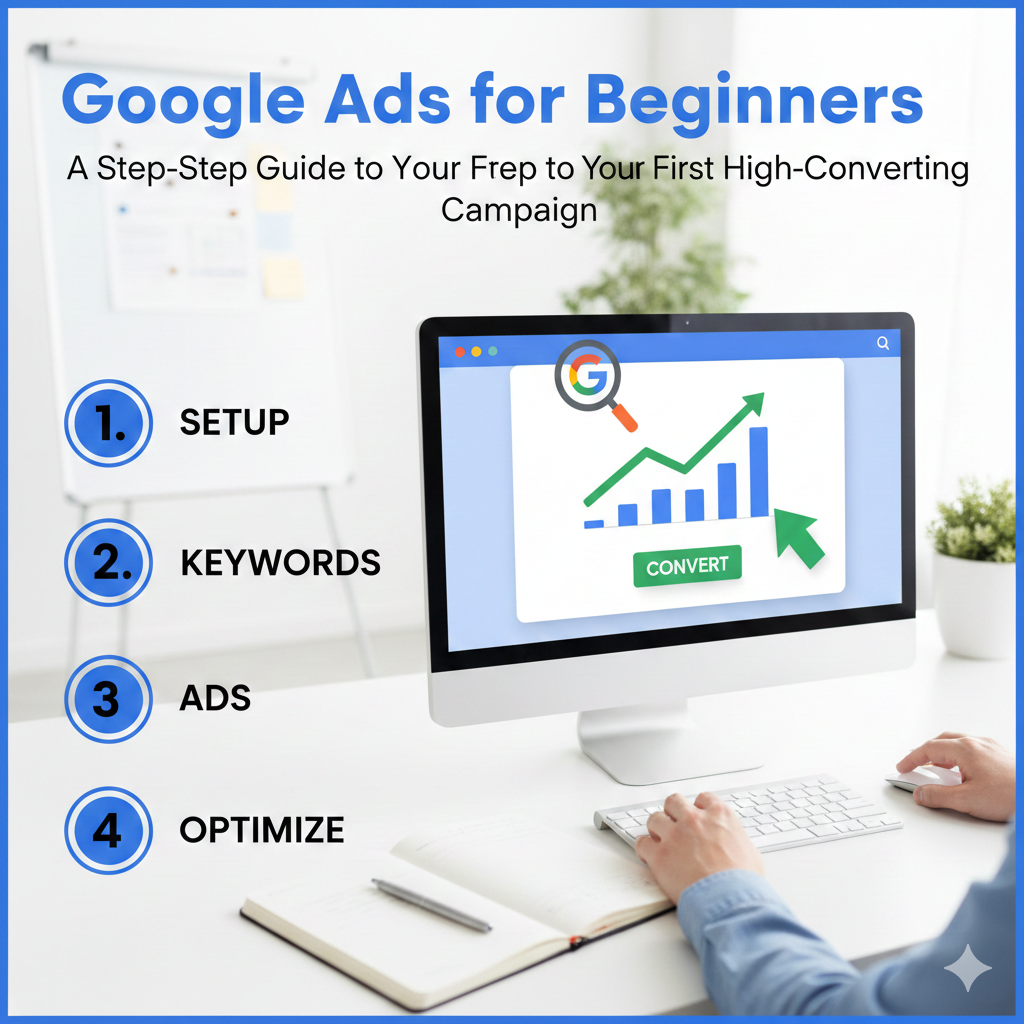
Google Ads for Beginners: A Step-by-Step Guide to Your First High-Converting Campaign

Introduction: The “No-Fluff” Truth About Google Ads for Beginners in 2025 If you’ve ever felt like Google Ads is just a sophisticated way to set your marketing budget on fire, you aren’t alone. For a beginner, the dashboard looks like the cockpit of a Boeing 747—daunting, overly technical, and full of ways to crash. But here is the truth: Google Ads remains the most powerful “intent-based” marketing tool on the planet. Unlike social media, where you are interrupting someone’s scroll, Google Ads allows you to appear at the exact moment someone is looking for a solution. They have a problem; you have the answer. This guide is designed to take you from “clueless and cautious” to “confident and converting,” skipping the expensive mistakes most Google Ads for beginners make in their first 30 days. Phase 1: The Foundation Google Ads for beginners (Before You Spend a Cent) Understanding the Auction: It’s Not Just About Money The largest Google Ads for beginners myth is the idea that whoever has the most money, wins. Although budget is a factor, User Experience matters here more to Google. If someone types-in “Emergency Plumber” and your “DIY Plumbing Tools” ad shows because you bid $50.00, Google will quickly stop showing your ad. Google uses a rating system known as Google Ads Quality Score, determined by: Anticipated CTR: The probability that people will click. Ad Relevance – Is the ad relevant to the search? Landing Page Experience: Is your site quick to load, mobile-friendly, and on-topic? The Formula: $Ad Rank = Max Bid × Google Ads Quality Score$ This is good news for you. It means a smart beginner with a better ad can beat a lazy corporation with a massive budget. Defining Your “One Big Goal” Before you create an account, you must define success. Are you looking for: Google Ads for beginners, I always recommend starting with Leads or Sales. Awareness campaigns are a luxury for those with money to burn. Stick to the bottom of the funnel where the ROI is clearest. Phase 2: The Architecture of a Winning Campaign for Google Ads for Beginners So you can go into your account already a bit of a mess without understanding the hierarchy. Imagine it as a filing cabinet: The Account: Your email and billing information. The Campaign: Here You define the budget and actual goal (ex.“Summer Sale – Shoes”). The Ad Group: This is where you organize keywords by theme (i.e., “Running Shoes” vs. “Hiking Boots”). The Keywords & Ads: The exact prompts and ads people will see. Pro Tip: Don’t ever run your keywords in one Ad Group. When someone types “Red Sneakers” in the search bar, they should see an ad for Red Sneakers, not a generic “Buy Shoes” ad. Granularity equals Profit. Phase 3: Google Ads Keyword Research Like a Pro The 3 Tiers of Search Intent Keywords are the lifeblood of your campaign. You need to categorize them by intent: Focus on Transactional keywords first. You want to pay for the person ready to pull out their credit card. The “Negative Keyword” Shield for Google Ads for beginners This is the most important “pro” tip for beginners. Negative keywords(Google Ads Quality Score) are words you don’t want to show up for. Understanding Match Types My Advice: Start with Phrase Match. It offers the best balance between reach and control. For more details, visit adrunkaro Phase 4: Writing Google Ads for beginners That Humans Actually Click An ad has one job: To get the right person to click and the wrong person to stay away. The Psychology of a High-CTR Headline You have three headlines to work with. Use them wisely: Google Ads for beginners Leveraging Ad Assets (Extensions) for Google Ads for beginners Don’t ignore Ad Assets. These are the extra bits of info like your phone number, specific page links (Sitelinks), or “Free Shipping” callouts. They make your ad physically larger on the screen, which naturally increases your CTR. Phase 5: The “Forbidden” Secret: The Landing Page You can have the best ad in the world as Google Ads for beginners, but if your website is slow or a challenge to use or insists on too much information, you are flushing money down the drain. The Golden Rule of Landing Pages: Message Match. If your ad reads “50% Discount on Yoga Mats,” the first thing that pops up when a user lands on your site should be that 50% discount and an image of a yoga mat. Do not drive them to your home page. Homepages is when conversions go to die, there’s too much distraction. Phase 6: Setting Up Your Campaign (Step-by-Step Walkthrough) Now that you have your keywords and your strategy, it’s time to pull the trigger. Here is how to navigate the Google Ads for beginners setup without falling into the “default settings” traps that Google sets to maximise their profit. 1. Choose Your Goal & Campaign Type When you hit “New Campaign,” Google will ask for your objective. Choose “Leads” or “Sales.” For your campaign type, select “Search.” * Warning: Google might suggest “Performance Max” or “Smart Campaigns.” While these use AI, they often give beginners very little control. For your first campaign, stick to Search so you can see exactly which keywords are costing you money. 2. Networks: Uncheck the “Display Network” This is a classic Google Ads for beginners mistake. By default, Google will opt you into the “Google Display Network.” This puts your text ads on random websites and apps. While it gets you “reach,” it usually results in low-quality clicks. Uncheck this box. Keep your ads strictly on the Google Search results page. 3. Bidding: Start with “Maximize Clicks” Google will ask what you want to focus on. Since you have no data yet, you can’t “Maximize Conversions” (Google’s AI doesn’t know what a conversion looks like for you yet). 4. Location & Language Don’t just target “United States” if you only ship to the East Coast. Be surgical. Use the “Presence” option rather than “Presence or Interest.” This ensures your ads only show to people actually in your target

5 Essential Local SEO for Small Businesses
Uncategorized

5 Essential Local SEO for Small Businesses to Dominate Nearby Searches

Table of Contents Introduction: Why Local SEO Matters for Small Businesses This is how it happens: someone near you types in “best coffee shop near me” or “digital marketing agency in Delhi” on their phone. Perform a search, and, in an instant, it delivers results with me in the middle of the Google Map Pack. If your business is not there, you do not exist to that customer — even if you are 500 meters away. That is exactly what local SEO for small businesses changes. Local SEO works to position your business in: Local SEO does not function like traditional SEO, as it serves the purposes of location-based intent, i.e., users seeking to visit/call/buy. Why Local SEO drives foot traffic & online visibility According to Google: Imagine local SEO as the online street sign outside of your store that can only be read by people who are already in search for what you’re offering. “Near me” searches and user intent Searches like: These aren’t researchers — they’re ready to act. Local SEO gets your business in front of your potential clients at the time they need you. What is local SEO? Local SEO is an effective way to market your business online. It focuses on: In simple terms: Local SEO makes Google trust your business as the leading local solution. Tip #1 — Claim & Optimize Your Google Business Profile (GBP) Your Google Business Profile (GBP) is the most important ranking factor in Local SEO. If Local SEO is a house, GBP is the foundation. How to claim and verify your listing Without verification, your business won’t rank properly. Best practices for photos, services, and categories Google loves active and complete profiles. Categories Photos Upload: Businesses with photos get 42% more direction requests. Services & products List each service with: Updating hours, posts, and questions Think of GBP like a mini-website inside Google. Importance of GBP in “near me” results Google Maps results are heavily influenced by: An optimized GBP dramatically increases your chances of appearing in the Local 3-Pack. Tip #2 — Use Location-Based Keywords Strategically Keywords tell Google where and what your business is. What are local keywords? Local keywords include: These keywords reflect high buying intent. Where to use them Use local keywords in: Example:Instead of: “Best Digital Marketing Services” Use: “Best Digital Marketing Services in Delhi for Small Businesses” Tools for local keyword research Free & paid tools: Pro tip:Search your keyword and scroll to “Searches related to…” — pure gold. Long-tail & “near me” variations Long-tail keywords convert better: Use them naturally — don’t force them. Tip #3 — Ensure NAP Consistency & Build Local Citations What is NAP? NAP stands for: Google uses NAP to verify trust and legitimacy. Even small mismatches confuse search engines. Importance of consistent citations Your NAP must be identical everywhere: Example mistake: These reduce your local rankings. High-value citation sites Focus on: Quality matters more than quantity. Avoiding duplicates & fixing errors Steps: This alone can boost rankings significantly. Tip #4 — Encourage & Manage Customer Reviews Reviews are digital word-of-mouth. Why reviews influence rankings Google reviews impact: Businesses with more positive reviews rank higher and get more calls. How to get more reviews (ethically) Never buy fake reviews — Google detects patterns. Responding to positive AND negative reviews Always reply. Positive review response builds trust. Negative response shows professionalism. Bad response = loss of trustGood response = customer respect Leveraging reviews for social proof People trust people more than ads. Tip #5 — Mobile Optimization & User Experience Local searches are mobile-first. Why mobile matters in local search If your site isn’t mobile-friendly, rankings drop. Easy site structure + fast loading Your website should: Think like a visitor, not a developer. Click-to-call buttons & maps integration Must-have features: Make contacting you effortless. Core Web Vitals basics Focus on: Even basic optimization helps. Bonus Strategies to Supercharge Local SEO Local backlinks & partnerships Local backlinks = strong authority signals. Location-specific landing pages Create pages like: Avoid duplicate content — customize each page. Social media & local engagement Social signals help: Stay active locally. Schema markup for LocalBusiness Schema helps Google understand: It improves visibility and CTR. Common Mistakes to Avoid in Local SEO Local SEO is about accuracy, trust, and relevance. Conclusion: Measuring Local SEO Success Local SEO is not a one-time task — it’s a continuous process. Tools to track performance Key metrics to watch Next steps for readers Start with: Done right, Local SEO for small businesses brings free traffic, real customers, and long-term growth. For more information, follow adrunkaro.com

Uncategorized

Cost-effective PPC for small business The Power of Long-Tail Keywords for Small Businesses

“Every small business owner remembers the stomach-dropping experience of starting an ad campaign on Google Ads, watching in horror as their budget drained in days with no sales in sight. You’re up against corporate goliaths with infinite budgets, competing on broad keywords such as ‘shoes’ or ‘consulting’.” For a small business, it is a losing battle. There is, however, a way around this for high-ranking ad placements that doesn’t entail a Fortune 500 company’s budget. The solution lies in Cost-effective PPC for small business. The Power of Long-Tail Keywords for Small Businesses. The answer is found in cost-effective strategies for small business that use targeted, high-intent keywords such as long-tail keywords. Rather than shouting the message in a crowded room, the long-tail pay-per-click process gives you the opportunity to whisper the message in the ear of a customer who has their credit card in hand. In this guide, we will debunk the ‘pay-to-win’ legend and teach you how to create a lean, high-ROI advertising machine. using affordable Google Ads strategies. Table of Contents Introduction of Cost-effective PPC for Small Businesses: PPC Challenges Pay-per-click is a model in which you pay a fee every time one of your ads is clicked. You’re essentially buying visits to your site rather than attempting to “earn” those visits organically. For small businesses, it offers immediate visibility. But it’s a fraught landscape. The majority of beginners go for “broad match” keywords, which cast a wide net – a net catching largely irrelevant traffic. If you’re selling artisan coffee beans, you could bid on the word “coffee. But you’ll put yourself up against Starbucks and Nescafé in terms of a bidding war. The result? High cost-per-click, low conversions. If you actually want to run a truly cost-effective PPC for a small business, then you have to pivot from volume to value, and that’s where long-tail keywords become your biggest weapon. What Are Long-Tail Keywords? Long-tail keywords are longer, more specific keyword phrases that visitors are more likely to use when they’re closer to a point-of-purchase or when they’re using voice search. Think of keywords as a graph: “Head” terms are the popular, broad keywords with high search volume-the head of the dragon. The “long tail” represents the endless variation of specific, lower-volume queries that, collectively, make up the majority of search traffic. The Specificity Spectrum Feature Short-Tail (Head) Keywords Long-Tail Keywords Example “Running shoes” “Best running shoes for trail running women” Search Volume High Low Competition High Low Cost Per Click (CPC) Expensive Affordable Intent Informational (Browsing) Transactional (Ready to Buy) Conversion Rate Lower (< 2%) Higher (Often > 30%) By targeting the “tail,” you aren’t just saving money; you are filtering out tire-kickers. Why Long-Tail for Cost-Effective PPC But why would PPC advertising targeting small businesses emphasise the need to use these longer phrases? 1. Lower Cost Per Click (CPC) There are fewer people bidding on particular keywords, such as “affordable vintage engagement rings in Austin, which makes the auction less competitive. According to basic economics, most products cost less in a non-competitive market. You could be charged $1.50 for a click where you were charged $15.00 before. 2. Greater Conversion Intent An example of a generic user search might be for the term “lawyer, in which the user may be seeking a definition or simply trying to follow a career path. On the other hand, users conducting a search for something like “small business contract lawyer near me” have a specific problem they wish to solve. Stat Check: UK SEO stats reveal that long-tail keyphrases could see a conversion rate 2.5x to 3x higher than heads due to relevant user intent. 3. Optimization for Voice Search Today, because of the existence of Siri or Alexa, people are asking questions. “How can small businesses run PPC on a budget?” would be considered a long-tail question. Using these keywords will help grab the traffic from the voice search, which is growing rapidly. Step-by-Step PPC Setup Guide Ready to launch? Here is your roadmap to affordable PPC strategies small business owners can execute today. Step 1: Keyword Research Don’t guess, use data Google Keyword Planner: Free. Use your core service and see which keywords are a great match but may not attract as many searchers. The “Alphabet Soup” Approach: Put your keyword in Google search, then look at what they suggest. These are actual search terms people use. Look for Questions: Employ the use of tools such as ‘AnswerThePublic’ to search for any questions that your product solves. STEP 2: CHOOSE THE APPROPRIATE MATCH TYPES This is where the budgets go to die. Google by default chooses the “Broad Match”, and this can be very harmful for a small budget. Exact Match [keyword]: The ad will appear only when a user searches with that exact keyword. Very safe, lots of control. Show your ad for Phrase Match (“keyword”): Your ad shows if the phrase appears in the search. Good balance of reach and control. Avoid Broad Match: Unless you have money to burn on testing. Step 3: Budgeting Start with a small budget. Choose a budget that you feel comfortable risking loss on a per-day basis. If your budget is $20 per day, exact match long tail terms guarantee that no matter what, $20 of it is used to target likely leads and not just any visitor coming to Ad Copy and Targeting Best Practices “Your keyword gets them to look; your ad copy gets them to click.” Effective Ad Copywriters Mirror the Keyword: For the “24 Hour Emergency Plumber” query, the headline copy has to be 24 Hour Emergency Plumber. Emphasise Benefits: Instead of talking about features, talk about what those features mean to consumers. Instead of saying, “We repair leaks,” try, “We stop leaks in 60 minutes, or it’s free.” • Clear Call To Action (CTA): Tell them what to do. ‘Call Now’, ‘Book Free Audit’, or ‘Get Quote’. Geo For your local bakery business, the last thing you want is the traffic from

Scroll to Top